- The Panic
- Does iPhone 17 Work With Uber Driver App?
- iPhone Models Ranked for Uber & DoorDash Drivers
- ✅ Fully Compatible (Buy These)
- ⚠️ Risky Territory (Think Twice)
- ❌ Don’t Buy (Won’t Work)
- Storage Warning: 256GB vs. 512GB
- Common Download & Compatibility Issues (And Fixes)
- “Incompatible Device” Error
- “Can’t Download Using Cellular Data”
- App Won’t Install (Storage Full)
- App Crashes After Download
- Why Older iPhones Got Dropped
- Trade-In Math: Should You Upgrade?
- Tech Patrol Insight: Why This Matters for Gig Drivers
- Multi-App Reality: iPhone 17 Can Handle It
- The Honest Bottom Line
- Resources & References
The Panic
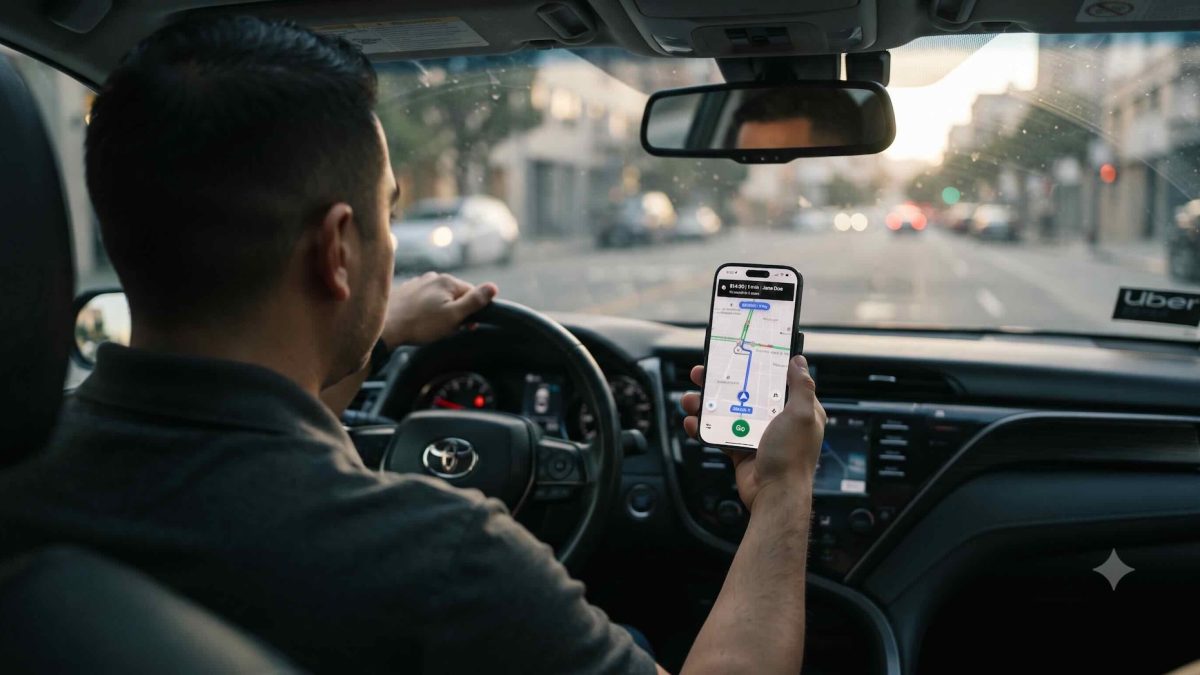
It’s 2 PM on a Thursday. You just bought a shiny new iPhone 17. You pull up the App Store. You search for “Uber Driver.”
The app page loads.
Your stomach drops: “Requires iOS 17 or higher.”
Your new iPhone 17 has iOS 26 running on it. You should be fine. But that nagging doubt creeps in. What if it doesn’t work? What if you can’t log in? What if something breaks?
This anxiety hits thousands of gig drivers every month. They upgrade their phones, see compatibility warnings, and panic. iPhone 17 works with Uber and DoorDash. No catches.
Does iPhone 17 Work With Uber Driver App?
Yes.
The Uber Driver app requires iOS 17 or higher. Your iPhone 17 ships with iOS 26 right out of the box. That’s five major iOS versions ahead of the minimum requirement. You’re over-provisioned by years of iOS updates.
The same goes for DoorDash. The DoorDash Dasher app requires iOS 17.0 or later. iOS 26 crushes that requirement.
Both apps work. Download, log in, start accepting orders.
iPhone Models Ranked for Uber & DoorDash Drivers
Not all iPhones work for gig driving. Some last 4+ years on the job. Others die within 18 months.
✅ Fully Compatible (Buy These)
iPhone 17 (This Year’s Model)
- A19 chip, 30 hours video playback, 256GB base storage
- iOS 26 native
- Runs both apps
- Battery lasts 8+ hours of active driving
- Best choice for new drivers buying today
iPhone 17 Air
- Thinner design, same A19 Pro chip
- iOS 26 native
- Lighter phone (good for long shifts)
- $999 base price (vs. $799 for iPhone 17)
- Only pick this if you need the sleeker design
iPhone 17 Pro / Pro Max
- Overkill for gig driving (but works perfectly)
- iOS 26 native
- Thermal advantage if you multi-app (Uber + DoorDash + Spark simultaneously)
- $1,099 and $1,199 (unnecessary expense for drivers)
iPhone 16 Series (Last Year, Still Works)
- Can run iOS 18
- Both apps work fine
- Battery life still solid
- Cheaper used (look at Carousell, Facebook Marketplace)
- Safe second-hand buy
iPhone 15 Series
- Can run iOS 18
- Compatible with both apps
- 2-year-old hardware (be careful with battery health)
- If buying used, verify battery health (Settings > Battery > Battery Health & Charging)
⚠️ Risky Territory (Think Twice)
iPhone 14
- Can technically run iOS 18
- Both apps technically work
- Problem: iOS support ends in roughly 4 years (iOS 28/29)
- If you buy iPhone 14 used NOW, you might get 2-3 years before compatibility breaks
- Not worth the headache
❌ Don’t Buy (Won’t Work)
iPhone 13 and Older
- Cannot run iOS 17
- Uber and DoorDash won’t download
- App Store blocks the installation
- Dead. Don’t waste money even if it’s cheap.
Specific Models to Avoid:
- iPhone 12: Maxes out at iOS 17.7 (borderline, but risky long-term)
- iPhone 11: iOS 18 capable, but aging hardware
- iPhone XS, XR, and earlier: Blocked entirely
Storage Warning: 256GB vs. 512GB
Apple killed the 128GB iPhone starting with iPhone 17.
This matters for gig drivers.
Running Uber or DoorDash means offline maps, cached restaurant photos, navigation data, music/podcasts for the commute, and quick uploads of delivery photos. A typical setup eats 40–50GB of space within weeks.
iPhone 17 Base (256GB):
- After iOS 26 takes ~50GB
- After app installs take ~20GB
- You’re left with 180GB
- This works, but gets tight if you heavy-use music or record dash cam video
iPhone 17 512GB:
- After system and apps: 400GB+ remains
- Safe buffer for caching, downloads, multi-apping
- Recommended if you deliver for both Uber and DoorDash simultaneously
- Only $100 more than base model (worth it)
The Real Cost: If storage fills up, apps crash mid-shift. You lose orders. You lose money. Spend $100 now to avoid this headache.
Common Download & Compatibility Issues (And Fixes)
“Incompatible Device” Error
You see this error if your iPhone can’t run iOS 17+.
Fix: If you’re on iPhone 17, you should never see this. If you do, force-quit the App Store (swipe up from the bottom of your screen, then swipe up on the App Store card). Wait 10 seconds. Reopen. Try again.
If it persists, sign out of your Apple ID (Settings > [Your Name] > Sign Out). Wait 2 minutes. Sign back in. The server cache clears.
“Can’t Download Using Cellular Data”
This is Apple’s safety feature kicking in if you’re on weak cellular.
Fix: Switch to WiFi before downloading. The app is 200+ MB. On 3G/LTE, cellular downloads sometimes glitch partway through.
App Won’t Install (Storage Full)
This is the real killer for gig drivers.
Fix:
- Go to Settings > General > iPhone Storage
- Identify the biggest apps you don’t use (Facebook, YouTube, old games)
- Delete them. Or offload by swiping left on the app, hit “Offload App” instead of “Delete”
- Free up 2–3GB minimum before retrying download
- Offloading keeps your login data intact; deletion doesn’t
App Crashes After Download
Rare, but happens.
Fix:
- Force-quit the app (swipe up from bottom, swipe up on the app card)
- Restart your phone (hold the power button, slide to power off)
- Delete the app. Reboot again.
- Reinstall from the App Store
- If it still crashes, contact Uber or DoorDash support. Your account may have an issue.
Why Older iPhones Got Dropped
You might wonder: Why does Uber suddenly require iOS 17+? They used to support iOS 14.
App requirements change when technology does. Uber’s current driver app includes real-time GPS navigation with traffic awareness, instant push notifications for trip requests, high-resolution mapping (which uses lots of RAM), Apple Intelligence features (iOS 17+ only), and advanced background processing for location tracking.
An iPhone 12 or older can’t handle this. Background location tracking drains the battery fast. Notifications get delayed, which kills your earnings.
Rather than cripple the app for older phones, Uber and DoorDash made the call. They need iOS 17+. It’s not malice. It’s an engineering triage.
Trade-In Math: Should You Upgrade?
If you’re driving on iPhone 14 or older: Upgrade now.
Your phone’s iOS version will stop receiving updates within 24–36 months. At that point, Uber and DoorDash will likely bump their requirements to iOS 18 or 19. You’ll be forced to buy a new phone anyway.
iPhone 17 trade-in deals are insane right now. Verizon offers iPhone 17 free with select unlimited plans, requiring a new line. AT&T and T-Mobile run similar promos. A carrier that subsidizes the phone means your plan cost doesn’t spike much.
If you’re on iPhone 15 or 16: You’re good for 3–4 more years. Wait for iPhone 18 next spring.
Tech Patrol Insight: Why This Matters for Gig Drivers
iOS compatibility matters more to gig drivers than to regular users.
A casual phone user might wait 6–12 months before updating their OS. A gig driver can’t. If you miss a week of orders because your phone can’t run the app, you lose money immediately.
An older iPhone bought for $200 as a budget pick won’t run Uber in 2 years. You’re forced to buy a new $800 phone mid-career. That’s a debt trap, not a savings.
Smart gig drivers buy new phones on carrier trade-in deals. Yes, you finance it over 24–36 months. But the carrier absorbs the depreciation risk. You’re not stuck with dead-end hardware.
For OFW drivers: You earn USD in the US and send money home. A reliable phone isn’t a luxury. It’s your income. A phone crash mid-shift costs you hundreds of pesos in missed deliveries. iPhone 17 gives you 3+ years of guaranteed compatibility. Worth every peso.
Multi-App Reality: iPhone 17 Can Handle It
Some drivers run Uber, DoorDash, and Spark simultaneously.
Your iPhone 17 can do this. When you run all three:
- All three apps run in the background
- GPS updates every few seconds
- Push notifications queue across all three
- Battery drains faster (expect 30–40% per hour if actively driving)
iPhone 17’s battery (3,692 mAh) lasts 30 hours of video playback. Active GPS drains roughly 3–4% per hour. On a full charge, you get 10–12 hours of multi-app driving.
Recommendation: If you’re multi-apping, buy the 512GB model. Three apps cache more data.
The Honest Bottom Line
Your iPhone 17 is built for this job. It runs Uber and DoorDash. It’ll stay compatible for at least 4–5 years (until iOS 28 or 29). That matches the lifespan of most vehicle payments.
You have no compatibility risk. Download the apps. Log in. Start driving.
Resources & References
- Uber Driver App Requirements https://help.uber.com/en/driving-and-delivering/article/ios-driver-app-download Official Uber support page confirming iOS 17+ requirement for driver app downloads.
- DoorDash Dasher App (Apple App Store) https://apps.apple.com/us/app/doordash-dasher/id1451754591 Official DoorDash Dasher app listing showing iOS 17.0 minimum requirement.
- iPhone 17 Specifications https://www.macrumors.com/roundup/iphone-17/ Complete iPhone 17 specs including battery life, storage tiers, and iOS 26 details.