- Introduction
- The Problem: Business Laptops Force You to Choose
- The Solution: 9 Reasons the ExpertBook Ultra Earns Its Price Tag
- 1. It Weighs Less Than a Bag of Rice, But Passed 24 Military-Grade Tests
- 2. A Screen That Might Convince Your CFO to Approve the Budget
- 3. Enough Raw Power to Replace Your Desktop
- 4. A Dedicated NPU That Keeps Your Data Off Someone Else’s Server
- 5. ExpertGuardian Locks Down Your Laptop Like a Bank Vault
- 6. Whisper-Quiet Cooling, Even Under Load
- 7. A 70Wh Battery That Actually Lasts the Whole Workday, Then Some
- 8. A Keyboard and Touchpad Built for People Who Actually Type All Day
- 9. Wi-Fi 7, Dual Thunderbolt 4, and Audio Loud Enough to Skip the Earphones
- The Impact: What This Actually Means for You
- Tech Patrol Insight
- Pricing and Availability
- Final Thoughts
Introduction
It’s 6:45 AM. Your board presentation starts in fifteen minutes, your laptop fan sounds like a jeepney climbing Kennon Road, and the Wi-Fi at the coworking space in BGC just dropped for the third time this week. You open your bag, plug in, and wait. Then there’s the other nightmare: three hours into EDSA carmageddon, working off battery in the back of a Grab, watching that percentage drop toward single digits before your client call even starts.
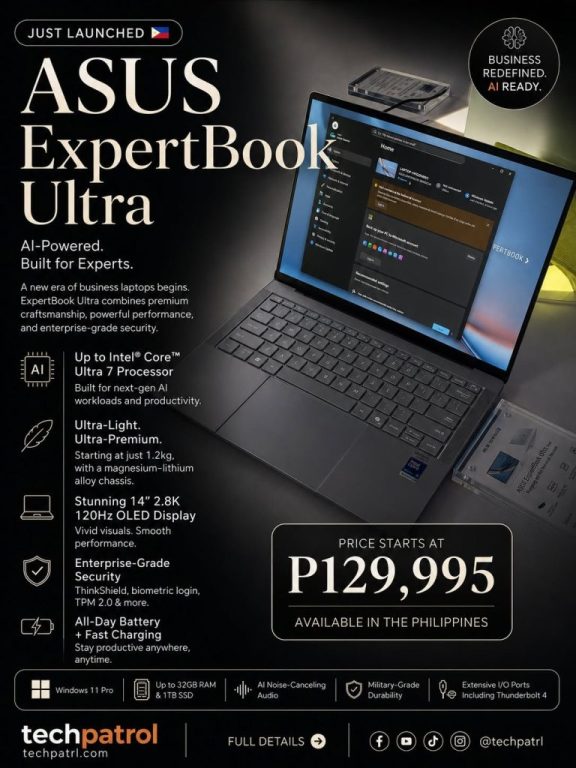
The ASUS ExpertBook Ultra just landed in the Philippines, and ASUS built the B9406CAA model for exactly these mornings. Confirmed for local launch on July 1, the ExpertBook Ultra positions itself as the brand’s flagship business machine, the one meant for CEOs, consultants, and anyone whose laptop bag doubles as a lifeline. At the launch event, ASUS confirmed local pricing starts at PHP 129,995 for the entry configuration, an Intel Core Ultra 5 325 with 16GB RAM and a 512GB SSD.
We went through the full spec sheet, the independent reviews, and the fine print so you don’t have to. Here are nine reasons this laptop earns its “flagship” title, and one or two reasons your accounting department might raise an eyebrow at the price tag.
The Problem: Business Laptops Force You to Choose
Most business laptops force you to choose two out of three: thin and light, powerful enough for real work, or durable enough to survive a Grab ride with a driver who treats speed bumps as suggestions. Add a decent screen and all-day battery, and you’re often shopping in creator-laptop territory, paying for hardware built for editing 4K footage instead of surviving back-to-back Zoom calls and spreadsheet marathons.
Filipino professionals feel this tension more than most. Between EDSA traffic, spotty office Wi-Fi, and the reality that “working from home” sometimes means working from a jeepney terminal waiting shed, a laptop that can’t take a beating doesn’t survive.
The Solution: 9 Reasons the ExpertBook Ultra Earns Its Price Tag
1. It Weighs Less Than a Bag of Rice, But Passed 24 Military-Grade Tests
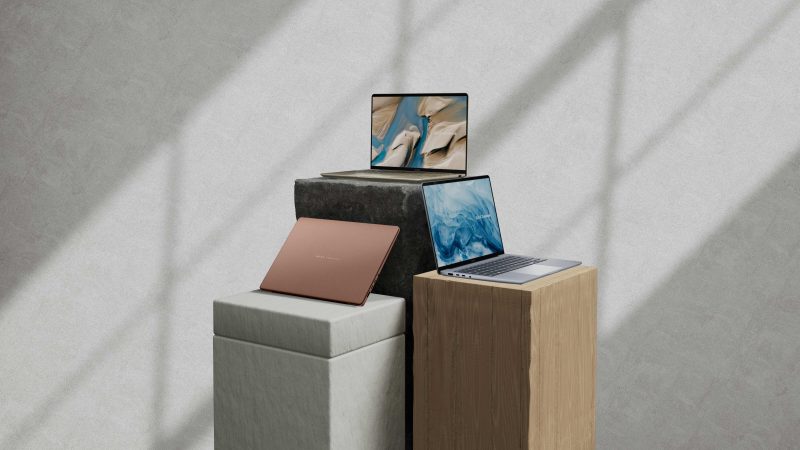
The chassis uses CNC-machined AZ31B magnesium-aluminum alloy, which ASUS says is 34% lighter than standard aluminum, finished with Nano Ceramic Technology through a Plasma Electrolytic Oxidation process that binds a 9H-hardness ceramic layer directly to the metal. ASUS claims that process makes it five times more scratch-resistant than industry standards. The chassis passed the 24-procedure MIL-STD-810H durability test on top of 157 internal ASUS tests, including 50,000 hinge cycles and 250,000 keycap rubs. At just 0.99 kg for the POLED version (1.09 kg for the Tandem OLED version) and 1.09 cm thin, it’s lighter than most tumblers Filipino professionals carry to work, yet built to survive an accidental knock off a conference table.
2. A Screen That Might Convince Your CFO to Approve the Budget
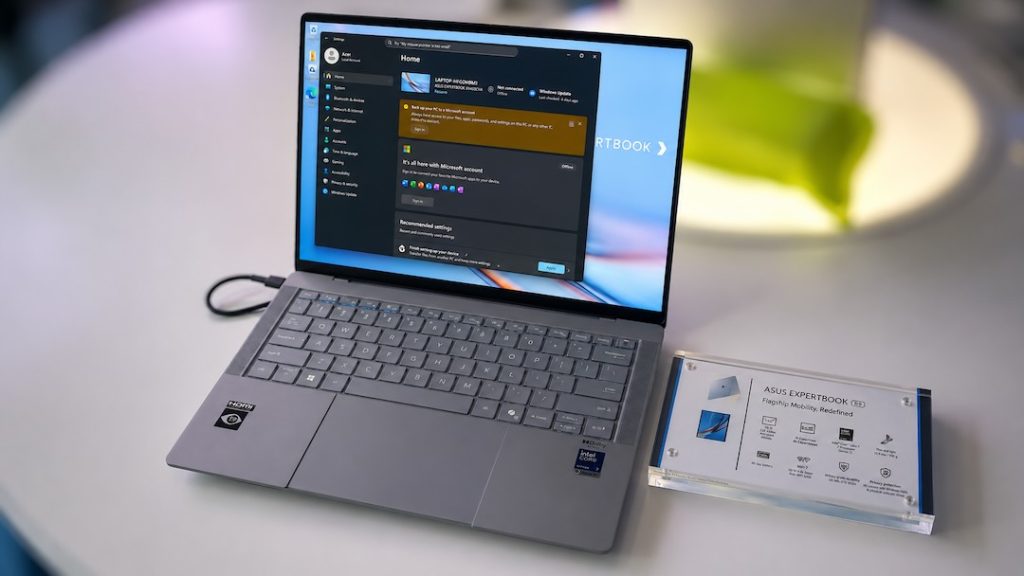
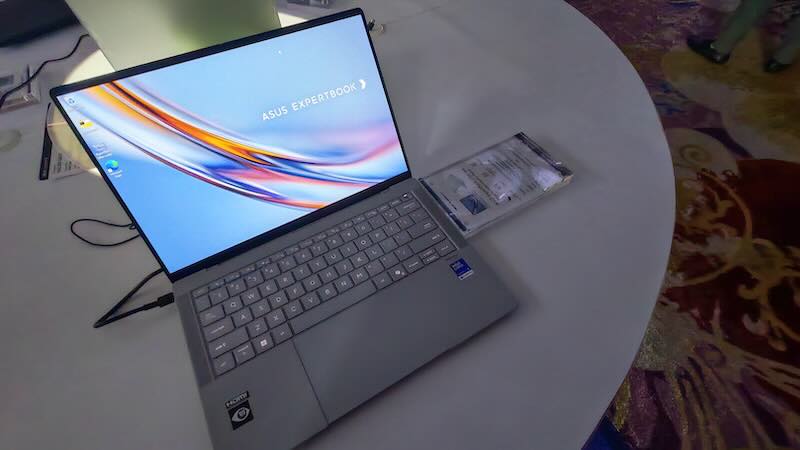
The top Tandem OLED configuration runs a 14-inch, 16:10, 3K (2880 x 1800) anti-glare touchscreen at 120Hz with variable refresh down to 30Hz, 1400 nits HDR peak brightness, 100% DCI-P3 coverage, and a Delta-E rating under 1, which is about as color-accurate as displays get. It also carries VESA DisplayHDR True Black 1000 certification. Layer on Corning Gorilla Glass Victus with a Gorilla Matte finish rated at just 19 gloss units (standard anti-glare screens sit around 80 GU), and ASUS says glare drops by 80% and sparkle by 50%. That means colors look accurate under office fluorescents, text stays sharp during four-hour budget reviews, and glare from that one window nobody will let you close won’t ruin your presentation.
For anyone who wants the lightest possible build, the Polymer OLED variant trades some HDR brightness (1000 nits) for the 0.99 kg weight and a snappier 720Hz native PWM rate.
3. Enough Raw Power to Replace Your Desktop
The top configuration runs an Intel Core Ultra X9-388H processor with a sustained 50W thermal design power, paired with integrated Intel Arc B390 graphics carrying 12 Xe cores. ASUS’s own benchmarking claims the integrated GPU outperforms a 30W dedicated NVIDIA RTX 4050 by roughly 35% in 3DMark Time Spy, numbers worth taking with the usual grain of salt that comes with any manufacturer’s in-house benchmark, but still a meaningful claim for an integrated chip. Pair that with up to 64GB of LPDDR5x memory running at 9600 MT/s and up to 2TB of PCIe Gen 5.0 NVMe storage rated over 14,000 MB/s, and you get a machine that handles spreadsheet modeling, multiple video calls, and light 4K editing without breaking a sweat.
4. A Dedicated NPU That Keeps Your Data Off Someone Else’s Server
The ExpertBook Ultra’s dedicated NPU delivers 50 TOPS, with up to 180 TOPS when combining CPU, GPU, and NPU performance together. That local compute power enables entirely on-device LLM inference, real-time meeting translation, and generative AI tasks without routing anything through the cloud. ASUS AI ExpertMeet uses this to handle real-time translation, transcription, and meeting summaries, which means you can actually listen to your client instead of scribbling half-legible notes on a legal pad.
This is where technology stops being a gimmick and starts being useful. For Filipino professionals juggling calls in Tagalog, English, and the occasional Bisaya client, real-time translation isn’t a novelty feature. It’s a practical bridge for a country that runs on more than one language, and running it locally means sensitive client data and financial models never leave the device.
5. ExpertGuardian Locks Down Your Laptop Like a Bank Vault
Most “secure” laptops rely entirely on software, which means a compromised operating system compromises everything. ASUS ExpertGuardian meets NIST SP 800-193 compliance, meaning the firmware actively protects, detects, and recovers from persistent malware attacks. The security stack includes a discrete FIPS 140-2 certified TPM 2.0 chip, Microsoft Pluton, match-on-chip fingerprint recognition, Windows Hello IR camera support, a physical webcam shield, and a chassis intrusion alert that flags if the device has been physically opened.
If your business handles client payment details, contracts, or anything that would make your lawyer nervous if leaked, this is the feature worth paying attention to.
6. Whisper-Quiet Cooling, Even Under Load
Now here’s what changed from older business laptops: the ExpertCool Pro system runs dual fluid-dynamic bearing fans with 97 liquid-crystal polymer blades each just 0.15mm thick, paired with a 0.1mm ultra-thin aluminum heatsink and crosswind positive air pressure that raises central pressure by 12%. In whisper mode, the system stays under 20dB at 15W CPU TDP. Standard mode holds under 28dB at 25W, quiet enough that your seatmate in a coffee shop in Makati won’t shoot you a dirty look. Even performance mode, pushing 45W, stays under 42dB. ASUS says the system prevents thermal throttling even with the lid closed and docked.
7. A 70Wh Battery That Actually Lasts the Whole Workday, Then Some
ASUS rates the 4-cell, 70Wh battery at up to 26 hours of use, built on a 2S2P architecture the company says improves DC-DC conversion efficiency over standard configurations. It also supports 50% charge in 30 minutes, and because it accepts a full 5V-20V charging range, you can top it up from a standard smartphone power bank or an airplane seat’s USB-C port. For anyone whose day involves back-to-back client sites with no guaranteed outlet in sight, that flexibility matters more than the raw hour count.
8. A Keyboard and Touchpad Built for People Who Actually Type All Day
The backlit keyboard offers 1.5mm of key travel, well above the 1.1mm industry average, with a special UV coating ASUS describes as giving a “zero gloss,” smudge-resistant feel, plus it’s water spill-resistant. Dedicated mic-mute LEDs help avoid the classic “sorry, was I on mute” moment during video calls. The 110 cm² glass touchpad uses six independent force sensors and an AAC haptic motor instead of a mechanical hinge, which means consistent, silent clicks no matter where you press on the surface, plus built-in slide gestures for volume and brightness.
9. Wi-Fi 7, Dual Thunderbolt 4, and Audio Loud Enough to Skip the Earphones
Triple-band Wi-Fi 7 paired with Bluetooth 6.0 uses Laser Direct Structuring to print the antenna directly onto the chassis’s plastic exhaust carriers, bypassing metal interference for what ASUS says is a 43% efficiency improvement in the 5GHz and 6GHz bands. That matters when you’re trying to join a Google Meet from a shared office space with thirty other devices fighting for bandwidth. Ports include a Thunderbolt 4 connector and a USB-A 3.2 Gen2 port on each side, plus HDMI 2.1 and a 3.5mm combo jack, so you can charge and connect peripherals from either side of the desk.
On the audio side, the six-speaker Dolby Atmos setup, built around dual-diaphragm woofers, dedicated tweeters, and Cirrus Logic smart amps, hits a rated 95dB peak loudness, noticeably louder than the roughly 85dB typical of standard ultrabooks. Paired with AI noise-canceling “VoicePrint” microphones, you can run a headset-free client call from a noisy coffee shop without anyone on the other end noticing the tricycle traffic outside.
The Impact: What This Actually Means for You
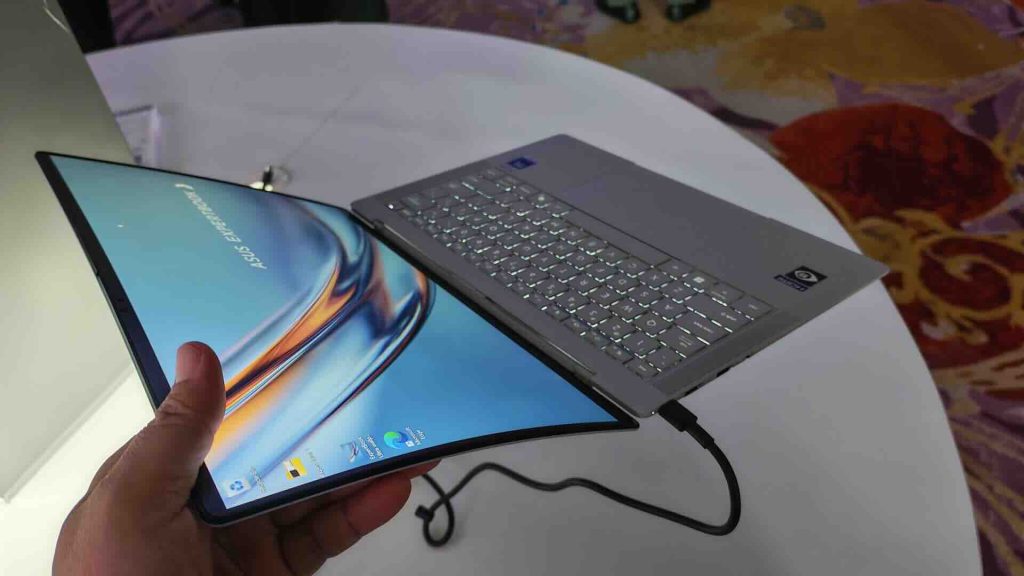
Put these nine features together and the impact isn’t abstract. It’s fewer dead laptops before a pitch, fewer overheating panics during a demo, and a battery that survives a full day of back-to-back meetings without you hunting for an outlet. Independent testing from TechRadar found the ExpertBook Ultra handled AI-enhanced tasks like Photoshop’s generative expansion faster and with better results than a non-AI-enhanced MacBook Pro, which says something about where business computing is headed. Faster response times during client work, cleaner meeting documentation through AI ExpertMeet, and hardware that survives the daily grind of Philippine commutes and coworking spaces.
Tech Patrol Insight
Here’s why this launch matters beyond the spec sheet: the Philippines runs on hybrid work. Freelancers meet clients in coffee shops, sales teams pitch from provincial branches with unreliable internet, and OFW-supported households increasingly run small businesses managed entirely from a laptop screen. A machine this durable, this quiet, and capable of running AI tasks offline through local NPU processing isn’t just convenient. It’s built for how Filipino professionals actually work, not how a Silicon Valley office assumes they work.
The AI ExpertMeet translation feature deserves a second look too. Language diversity in Philippine business, from BPO call centers to provincial sales meetings conducted partly in the local dialect, is something most global tech launches ignore entirely. A laptop that treats multilingual meetings as a default use case, not an afterthought, understands this market better than most.
Pricing and Availability
ASUS confirmed the entry-level ASUS ExpertBook Ultra configuration starts at PHP 129,995, covering an Intel Core Ultra 5 Processor 325, 16GB RAM, 512GB SSD, and Windows 11 Pro, still with the full-fat Wi-Fi 7, 70Wh battery, and 14-inch 3K 120Hz anti-glare touchscreen OLED display that make the higher-end configurations worth writing about. ASUS is also bundling a 3-year onsite warranty with 1 year of accidental damage protection at that starting price, which softens the sticker shock for a business laptop in this tier.
👉 Shop the ASUS ExpertBook Ultra at the ASUS Official Store on Shopee
Tech Patrol may earn a commission from purchases made through this link, at no extra cost to you. This helps support our independent tech coverage for Filipino readers.
Final Thoughts
You don’t adjust to the laptop. The laptop adjusts to you, to your commute, your meetings, and your 6:45 AM panic before a board presentation. Whether the ExpertBook Ultra is worth the premium price depends on how much your time and your client relationships are worth when a laptop crashes at the wrong moment, or dies mid-call because nobody warned you the battery only lasted four hours. For a lot of Filipino executives and business owners, that math isn’t complicated at all.
Sources: