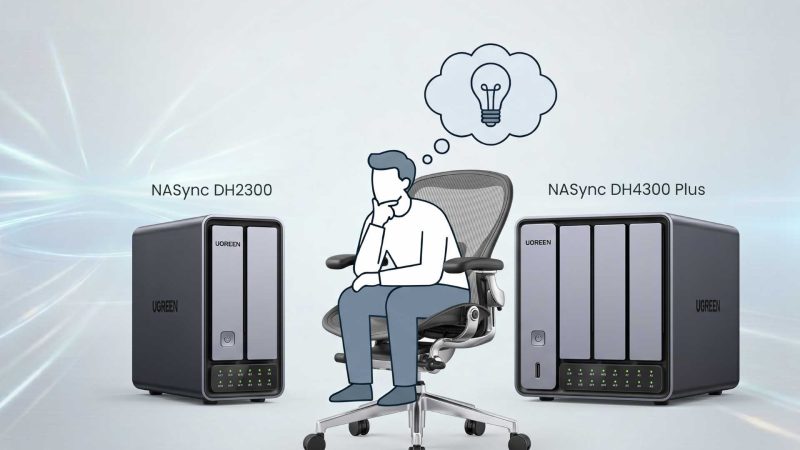
You finally got your hands on the UGREEN NASync DH2300 — the best starter NAS for Filipino homes in 2026. It’s sitting on your desk, plugged in, looking clean.
Then you realize it.
The box is empty.
The DH2300 comes diskless — which means the best hard drives for your UGREEN NASync DH2300 are entirely up to you. And if you pick the wrong ones? You could end up with slower transfers, RAID failures, or worse — data you thought was safe suddenly gone.
Here’s where it gets interesting: not all hard drives are the same. Pop in a regular desktop drive and you might regret it six months from now.
Let’s break this down — no jargon, no confusion. Just what you actually need to know before you buy.
Why You Can’t Just Use Any Hard Drive
Here’s the real issue most beginners miss.
Your DH2300 is designed to run 24 hours a day, 7 days a week. It’s not like your desktop PC that you shut down at night. It’s always on — backing up your files, organizing your photos, serving data to your phone at 2AM.
A regular desktop hard drive wasn’t built for that. Put one inside your NAS and you risk:
- Overheating from non-stop operation
- Higher vibration and noise
- Shorter lifespan under constant workload
- RAID errors that corrupt your data
👉 NAS-grade drives are engineered for always-on use, vibration resistance, and RAID stability. That’s the difference.
The DH2300 officially recommends NAS-specific drives — and even warns against using SMR (Shingled Magnetic Recording) drives in RAID mode, as they can cause data loss during rebuilds.
- CMR vs SMR: The One Thing You Must Know Before Buying
- 1. Seagate IronWolf — Best Overall for Beginners
- 2. WD Red Plus — Best for RAID 1 Protection
- 3. Toshiba N300 — Best Budget Option
- 4. WD Red Pro — Best for Heavy Home Use
- 5. Seagate IronWolf Pro — Best for Future-Proofing
- Tech Patrol Quick Picks at a Glance
- RAID 1 vs JBOD: Which Setup Should You Use?
CMR vs SMR: The One Thing You Must Know Before Buying
Before we get to the picks, here’s the most important lesson:
CMR (Conventional Magnetic Recording) — Safe for NAS, RAID-compatible, stable under sustained workloads. ✅
SMR (Shingled Magnetic Recording) — Cheaper, but NOT recommended for RAID arrays. Can cause RAID rebuild failures and data loss. ❌
Always check the drive specs before buying. If it doesn’t say CMR, assume it’s SMR and skip it for RAID use.
The Best Hard Drives for the UGREEN NASync DH2300 (2026)
1. Seagate IronWolf — Best Overall for Beginners
That’s where the Seagate IronWolf comes in — and why it’s the top recommendation for most DH2300 owners.
The IronWolf is Seagate’s dedicated NAS drive line, purpose-built for 24/7 operation. It runs at 5,400 RPM, which means it stays cool and quiet — perfect for a home environment where you don’t want a loud whirring box on your shelf.
Key Specs:
- Capacity: 1TB to 8TB (sweet spot: 4TB or 6TB)
- Speed: Up to 180–210 MB/s sequential
- Recording: CMR — fully RAID-safe
- Cache: 64MB (256MB at 4TB+)
- Workload Rating: 180TB/year
- MTBF: 1,000,000 hours
- Warranty: 3 years
- Special Feature: IronWolf Health Management (drive health monitoring built in)
Why it works for the DH2300: The DH2300 is a beginner NAS. The IronWolf is a beginner NAS drive. They’re built for the same user — someone who wants reliable storage, simple setup, and peace of mind without needing enterprise-level performance.
The IronWolf Health Management feature also integrates well with NAS firmware, giving you proactive alerts if your drive starts showing signs of failure.
👉 Tech Patrol Pick: Seagate IronWolf 4TB (two units in RAID 1) = 4TB protected storage. Approx. ₱4,500–₱6,000 per drive in Philippine retailers.
2. WD Red Plus — Best for RAID 1 Protection
Now here’s the bigger picture on Western Digital’s lineup — and why the Red Plus specifically is the one you want.
WD makes three NAS drive lines: Red, Red Plus, and Red Pro. The base WD Red? Avoid it — it uses SMR recording and is not recommended for RAID arrays. The Red Plus is the CMR version, and that’s what the DH2300 officially supports.
WD Red Plus uses NASware 3.0 firmware, specifically tuned for NAS environments. It handles RAID rebuilds smoothly, runs stable under multi-user access, and has a strong track record in 2-bay home NAS units.
Key Specs:
- Capacity: 2TB to 14TB (sweet spot: 4TB or 6TB)
- Speed: Up to 185 MB/s sequential
- Recording: CMR — RAID-safe ✅
- RPM: 5,400 (IntelliPower for smaller caps)
- Cache: 64MB–256MB
- Workload Rating: 180TB/year
- Warranty: 3 years
- Special Feature: NASware 3.0 firmware optimization
Why it works for the DH2300: WD Red Plus is consistently quieter than IronWolf in a 2-bay setup, making it a strong choice for home offices or bedrooms. The NASware 3.0 tuning also reduces the impact on NAS performance during RAID rebuilds.
👉 Best paired as: Two WD Red Plus 4TB units in RAID 1. Reliable, quiet, and officially supported by UGREEN for the DH2300.
3. Toshiba N300 — Best Budget Option
Toshiba doesn’t dominate the NAS conversation the way Seagate or WD does — but the N300 is a legitimate dark horse that deserves attention, especially for budget-conscious Filipino buyers.
The N300 runs at 7,200 RPM — faster than the IronWolf and Red Plus — while still being priced below WD Red Pro and IronWolf Pro. It uses CMR recording, includes RV (Rotational Vibration) sensors for multi-drive stability, and Backblaze reliability data consistently shows low failure rates for Toshiba NAS drives.
Key Specs:
- Capacity: 4TB to 20TB (sweet spot: 6TB or 8TB)
- Speed: Up to 272 MB/s sequential
- Recording: CMR ✅
- RPM: 7,200
- Cache: 128MB–512MB
- Workload Rating: 180TB/year
- MTBF: 1,000,000 hours
- Warranty: 3 years
Why it works for the DH2300: If you’re storing large files — 4K videos, RAW photos, large backups — the 7,200 RPM speed gives you noticeably faster write speeds compared to 5,400 RPM alternatives. It’s a great pick for content creators who use the DH2300 as a local media vault.
One trade-off: 7,200 RPM runs slightly warmer and produces more noise than 5,400 RPM drives. In a small apartment or bedroom setup, the IronWolf or Red Plus might be more comfortable.
👉 Best value play: Toshiba N300 6TB gives you the best cost-per-terabyte in the DH2300’s compatible range.
4. WD Red Pro — Best for Heavy Home Use
If you’re planning to use your DH2300 as more than just a backup box — think media storage for the whole family, serving files to multiple devices, or running as a shared network drive for a small home office — the WD Red Pro is the step-up drive worth considering.
The Red Pro spins at 7,200 RPM and carries a 300TB/year workload rating, which is nearly double the standard NAS drives. It’s also backed by a 5-year warranty, making it a longer-term investment.
Key Specs:
- Capacity: 2TB to 24TB (sweet spot: 8TB for DH2300)
- Speed: Up to 272 MB/s sequential
- Recording: CMR ✅
- RPM: 7,200
- Cache: 512MB (on 14TB+)
- Workload Rating: 300TB/year
- Warranty: 5 years
Note: Given the DH2300’s ARM-based processor and 1GbE networking, the Red Pro’s performance ceiling may exceed what the NAS can fully utilize. But if you plan to upgrade NAS units down the road, these drives will move with you.
👉 Long-term thinking: Buy Red Pro drives now if you’re already thinking about upgrading to the DH4300 Plus in the next year or two.
5. Seagate IronWolf Pro — Best for Future-Proofing
The IronWolf Pro is the premium version of Seagate’s NAS lineup — and it comes with one standout feature no other drive on this list has: 3 years of Rescue Data Recovery Services included in the box.
That means if your drive physically fails, Seagate can attempt to recover your data professionally. For anyone storing irreplaceable family photos, business records, or years of creative work — that safety net has real value.
Key Specs:
- Capacity: 4TB to 30TB
- Speed: Up to 285 MB/s sequential
- Recording: CMR ✅
- RPM: 7,200
- Cache: 256MB–512MB
- Workload Rating: 300TB/year
- MTBF: 1,200,000 hours
- Warranty: 5 years + 3 years Rescue Data Recovery
👉 Bottom line: The IronWolf Pro is overkill for the DH2300 today — but it’s a powerful option if you treat your data as irreplaceable and want that professional recovery backstop.
Quick Comparison: Which Drive Should You Buy?
| Drive | Best For | Capacity Sweet Spot | Price Range |
| Seagate IronWolf | First-time NAS owners | 4TB–8TB | ~$90–$180 |
| WD Red Plus | RAID 1 protection | 4TB–6TB | ~$85–$160 |
| Toshiba N300 | Budget-conscious buyers | 6TB–8TB | ~$80–$150 |
| WD Red Pro | Heavy home use / media | 8TB–12TB | ~$180–$280 |
| Seagate IronWolf Pro | Future-proofing | 8TB–16TB | ~$200–$350 |
Tech Patrol Quick Picks at a Glance
| 🏆 Best Overall | Seagate IronWolf 4TB or 6TB |
| 🛡️ Best for RAID 1 | WD Red Plus 4TB |
| 💰 Best Budget Pick | Toshiba N300 6TB |
| 📦 Best Large Capacity | Seagate IronWolf 8TB |
| ⚡ Best for Heavy Users | WD Red Pro 8TB |
How Much Storage Do You Actually Need?
The DH2300 supports up to 32TB per bay — that’s a maximum of 64TB raw. But here’s the practical guide for Filipino households:
2TB per drive (4TB total): Good for basic backups — documents, music, contacts. Minimal investment but fills up faster than you think.
4TB per drive (8TB in RAID 1): The sweet spot. Handles years of family photos, videos, phone backups from 3–5 devices, and light media storage. This is the recommended starting point.
6TB–8TB per drive: For content creators, photographers, or households with multiple 4K devices. Gives you room to grow without needing to replace drives in 2 years.
12TB–16TB per drive: Probably overkill for the DH2300’s ARM processor, but valid if you plan to upgrade to a higher-tier NAS and want drives that scale.
👉 Tech Patrol recommendation for most Filipino homes: Two Seagate IronWolf 4TB or 6TB drives in RAID 1. Hits the sweet spot of cost, capacity, and protection.
RAID 1 vs JBOD: Which Setup Should You Use?
The DH2300 supports RAID 0 and RAID 1. For home use, RAID 1 is almost always the right choice.
RAID 1 (Mirroring): Both drives contain identical data. If one fails, the other keeps your files safe. You lose half your storage capacity — two 4TB drives give you 4TB usable — but your data is protected.
RAID 0 (Striping): Combines both drives for double the speed and full capacity. But if one drive fails, you lose everything. Not recommended for irreplaceable data.
JBOD / Basic: Each drive is independent. Full capacity, no protection. One drive dies, you lose what was on it.
For a home NAS storing family photos and important files — RAID 1. Always.
Tech Patrol Insight: Why Your Drive Choice Matters More Than Your NAS
Here’s something most buyers don’t realize until it’s too late.
The UGREEN NASync DH2300 is a great NAS — affordable, beginner-friendly, and capable. But hardware is only half the equation. The drives you put inside it are the ones actually holding your photos, your work files, your memories.
We’re seeing a clear shift in how Filipino households store data:
- Cloud subscriptions are hitting cost fatigue — paying ₱500+/month for storage you don’t fully control
- Local NAS adoption is growing as prices get more accessible
- But most buyers rush to buy the NAS and forget that the drives are where the real investment lives
A ₱10,000 NAS with cheap, wrong drives is worse than a ₱10,000 NAS with the right ones. The drives are your data’s home. Choose them as seriously as you chose the NAS itself.
Related: UGREEN NASync DH2300 vs DH4300 Plus: Which NAS Should You Buy in 2026?
Final Thoughts
The UGREEN NASync DH2300 is one of the best entry points into home NAS storage in 2026 — especially for Filipino households moving away from cloud subscriptions.
But the drives you pair it with will define your experience for the next 3 to 5 years.
If you’re just starting out, two Seagate IronWolf 4TB drives in RAID 1 is the safest, most cost-effective setup. If you’re storing larger media or want room to grow, step up to the 6TB or 8TB variants. And if long-term data protection matters most to you, the IronWolf Pro’s built-in rescue data recovery is hard to ignore.
Your NAS is the house. The drives are the foundation. Build it right.
👉 So — which drive are you going with? The quiet reliability of WD Red Plus, or the health monitoring of Seagate IronWolf? Drop your setup in the comments.