- Introduction
- The Real Difference Starts Inside
- NASync DH2300: The Simple, Efficient Starter
- NASync DH4300 Plus: The Power User Upgrade
- Storage: Where the Gap Gets Bigger
- Why This Matters
- Performance in Real Life
- DH2300 is for:
- DH4300 Plus is for:
- The Hidden Advantage: NVMe SSD Support
- Network and Connectivity
- The Price Reality
- Tech Patrol Insight
- Final Recommendation
- Choose DH2300 if:
- Choose DH4300 Plus if:
- Final Thoughts
- Cloud vs. Local Storage: Google Drive vs. UGREEN NAS
- The Cost Breakdown (5-Year Outlook)
- Head-to-Head Comparison
- The Verdict
Introduction
You’ve finally decided to build your own personal cloud.
Maybe it’s for your growing photo library. Maybe it’s for movies, work files, or backups. But as soon as you start looking at NAS devices, you hit a wall:
👉 Which one should you actually buy?
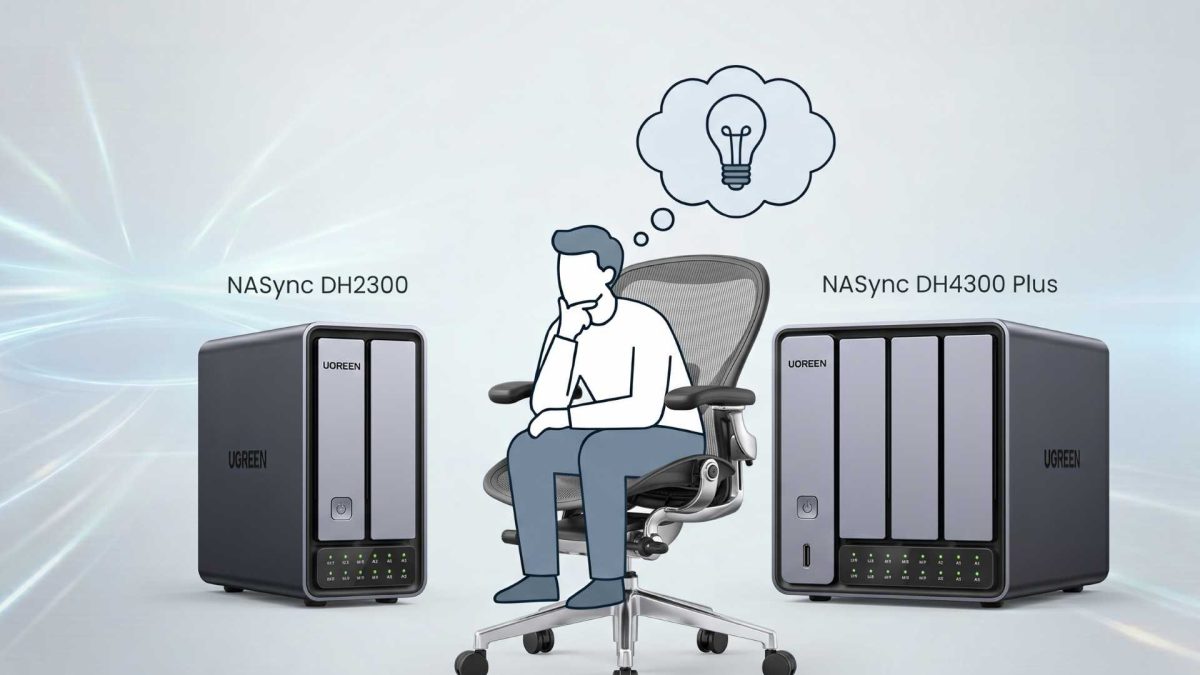
That’s exactly the dilemma with the UGREEN NASync DH2300 vs DH4300 Plus. Both look clean, modern, and powerful—but they’re built for very different types of users.
So let’s break it down—not just specs, but real-world use.
The Real Difference Starts Inside
At a glance, both NAS units look similar. But inside, they’re completely different machines.
NASync DH2300: The Simple, Efficient Starter

The DH2300 runs on an ARM-based processor.
What that means for you:
- Lower power consumption
- Quiet operation
- Minimal heat
Perfect if your goal is simple:
👉 Backup files
👉 Store photos
👉 Access files anywhere
But here’s the catch.
ARM chips struggle with:
- Heavy multitasking
- Advanced apps
- Virtual machines
This is a storage-first device, not a performance machine.
NASync DH4300 Plus: The Power User Upgrade

Now here’s where things change.
The DH4300 Plus uses an Intel N100 processor—an x86 chip similar to what you’d find in mini PCs.
That unlocks:
- Plex or Jellyfin 4K transcoding
- Docker containers
- Virtual machines
- Faster AI processing
In short:
👉 This isn’t just storage—it’s a mini server
Storage: Where the Gap Gets Bigger
Here’s where the decision becomes obvious.
| Feature | DH2300 | DH4300 Plus |
|---|---|---|
| Drive Bays | 2-Bay | 4-Bay |
| RAID Support | RAID 0, 1 | RAID 0, 1, 5, 6, 10 |
| NVMe Slots | None | 2x NVMe |
| Max Capacity | ~64TB | 128TB+ |
Why This Matters
With the DH2300:
- You can mirror data (RAID 1)
- But you lose 50% of your storage
With the DH4300 Plus:
- You can use RAID 5
- Keep most of your storage
- Still have protection
👉 This is a huge advantage for long-term storage
Performance in Real Life
Let’s simplify this.
DH2300 is for:
- File storage
- Phone backups
- Basic cloud access
DH4300 Plus is for:
- Media servers (Netflix-style home setup)
- Video editing over network
- Heavy multitasking
- AI photo indexing
If you plan to stream 4K movies smoothly?
👉 Only the DH4300 Plus can truly handle it
The Hidden Advantage: NVMe SSD Support
Here’s something many beginners overlook.
The DH4300 Plus includes M.2 NVMe slots, which can:
- Speed up file transfers
- Improve app performance
- Make the system feel instant
You can even:
👉 Run apps entirely on SSD
👉 Use HDDs only for storage
That’s a level of flexibility the DH2300 simply doesn’t have.
Network and Connectivity
Both models support 2.5GbE networking, which is already a big win.
That means:
- Faster file transfers than standard Gigabit
- Better performance for large files
But the DH4300 Plus goes further with:
- Faster USB ports
- Better overall I/O
The Price Reality
Here’s the part most people care about.
- DH2300: ~$186 (budget-friendly)
- DH4300 Plus: ~$373 (double the price)
At first, the DH2300 looks like the obvious choice.
But here’s the real question:
👉 Are you buying for today—or for the next 3–5 years?
Tech Patrol Insight
This isn’t just a product comparison—it’s a mindset decision.
We’re seeing a shift where NAS devices are no longer just:
👉 “external hard drives”
They’re becoming:
👉 Personal cloud servers
👉 Media hubs
👉 Workstations
The DH2300 represents the old mindset: storage only
The DH4300 Plus represents the new reality: storage + computing
Final Recommendation
Let’s make it simple.
Choose DH2300 if:
- You want a simple backup solution
- You’re new to NAS
- You don’t need advanced features
Choose DH4300 Plus if:
- You stream movies or run Plex
- You want long-term scalability
- You need performance, not just storage
Final Thoughts
The UGREEN NASync lineup is impressive—but these two models are not interchangeable.
One is your first NAS.
The other is your future-proof home server.
So before you decide, ask yourself:
👉 Do you just need storage… or do you want a system that grows with you?
Before you decide, let us help you with this quick comparison below.
Cloud vs. Local Storage: Google Drive vs. UGREEN NAS
For many users, the choice isn’t just about hardware—it’s about where your data lives. Here is how a premium Google Drive (Google One) subscription stacks up against a one-time investment in a UGREEN NASync device over a typical 5-year lifecycle.
The Cost Breakdown (5-Year Outlook)
- Google One (2TB Plan): Costs approximately $100/year. Over 5 years, you will spend $500 in recurring subscription fees, and you still only own 2TB of space. If you scale up to their 5TB or 10TB tiers, that cost jumps drastically.
- UGREEN NASync DH2300 (Plus Drives): Upfront hardware cost is roughly $187 (based on the image Screenshot 2026-06-15 103708.png). Adding two high-quality 8TB NAS hard drives puts your total investment around $450–$500. Over 5 years, your cost drops to $0/year, and you control a massive 8TB of redundant storage (4x the space of the baseline cloud plan).
Head-to-Head Comparison
| Feature | Google Drive (Google One) | UGREEN NASync System |
| Pricing Model | Endless recurring monthly/annual fees. | One-time hardware purchase; free thereafter. |
| Data Privacy | Subject to platform terms, data scanning, and algorithm locks. | 100% private. Your data stays physically inside your home. |
| Speed & Access | Limited by your internet upload/download speeds. | Blazing-fast 2.5GbE local transfer speeds (great for video editing). |
| Maintenance | Zero. Google handles drive health and infrastructure. | You are the admin. You must swap a drive if it fails. |
| App Ecosystem | Polished web apps, seamless mobile integration. | UGOS Pro offers private mobile syncing, Plex media streaming, and Docker. |
The Verdict
- Stick with Google Drive if: You want a completely hands-off experience, have minimal storage needs (under 2TB), and don’t want to think about hardware maintenance or drive failures.
- Switch to a UGREEN NAS if: You handle massive files (like 4K video footage or extensive photo libraries), hate recurring subscriptions, demand absolute data privacy, or want a localized powerhouse that can double as a home media center.