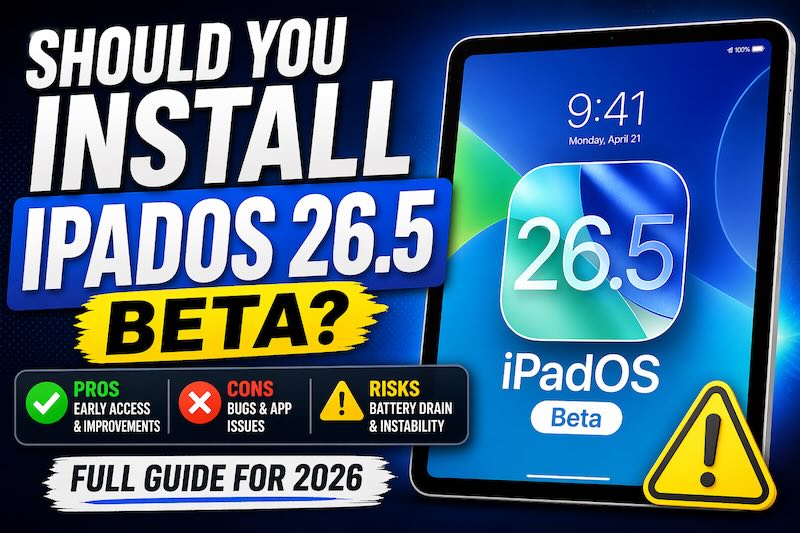
Introduction
When Apple releases a new beta like iPadOS 26.5, the temptation to install it early is real—especially if you want to stay ahead of the curve.
But here’s the reality: not all beta updates are worth installing, even if they’re labeled “public.”
So the key question is simple:
👉 Should you install iPadOS 26.5 Public Beta right now—or wait?
This Tech Patrol guide breaks it down based on real-world usage, risk factors, and who actually benefits.
Should you install iPadOS 26.5 beta?
👉 Only if you’re comfortable dealing with minor bugs and want early access.
For most users, waiting for the official release is the smarter choice, since this update focuses primarily on bug fixes rather than new features.
What’s New in iPadOS 26.5 Beta (Reality Check)
If you’re expecting major upgrades—you likely won’t find them here.
What You Actually Get:
- System-wide bug fixes
- Slight performance improvements
- Minor, mostly subtle UI refinements
There are no widely reported major new features compared to earlier builds.
See also: AirPods Max 2 Now Official: Smarter, More Powerful, and Built for Creators
What This Means
Apple appears to be in the final polishing phase. This beta is less about introducing new features and more about improving stability ahead of the public release.
👉 Translation: You’re testing refinement—not experiencing something significantly new.
Real Pros of Installing iPadOS 26.5 Beta
1. Early Access to Improvements
You get the latest optimizations ahead of general users.
2. Potential Performance Gains
Some users may notice:
- Faster app launches
- Smoother multitasking
- Slightly improved responsiveness
(Results can vary depending on device and usage.)
3. Developer & Power User Advantage
If you:
- Test apps
- Create content
- Explore features in depth
Then installing the beta can give you a useful head start.
Real Cons You Need to Understand
1. Unexpected Bugs Still Exist
Even public betas can cause:
- App crashes
- UI glitches
- Compatibility issues
2. Battery Life Can Be Inconsistent
Background processes and diagnostics may:
- Drain battery faster
- Cause occasional heating
3. Some Apps May Not Work Properly
Banking apps, enterprise tools, and certain games are often affected first.
4. No Major Feature Upside
This is the biggest drawback:
👉 You’re taking on risk without gaining significant new features.
Related: Apple Leadership Shift: Tim Cook Moves to Chairman Role, John Ternus Named New CEO for 2026
Risk Level Breakdown (Tech Patrol Verdict)
| User Type | Risk Level | Recommendation |
|---|---|---|
| Casual users | 🔴 High | ❌ Do not install |
| Students | 🟠 Medium | ⚠️ Only if you can tolerate issues |
| Creators / Power users | 🟡 Medium-Low | ✅ Can install with backup |
| Developers | 🟢 Low | ✅ Recommended |
Who Should Install iPadOS 26.5 Beta
You should consider installing if you:
- Have a secondary iPad
- Want early access to updates
- Do not rely on your device for critical tasks
- Are comfortable troubleshooting issues
Who Should NOT Install It
Avoid the beta if your iPad is your:
- Daily work device
- School device
- Primary productivity tool
👉 In these cases, stability should take priority over early access.
Safer Alternative: Just Wait a Few Weeks
Based on typical rollout patterns, Apple usually releases the final version of iPadOS 26.5 within a few weeks after late-stage betas.
That means:
- Better stability
- Fully optimized app compatibility
- Fewer risks
👉 Waiting gives you the same update—without the potential issues.
Bottom Line (Clear Verdict)
Is iPadOS 26.5 beta worth installing?
👉 No for most users
👉 Yes for testers and enthusiasts
This is a refinement-focused update, not a feature-driven one—so the risk-to-reward ratio is limited unless you specifically need early access.
FAQ (AEO Boost Section)
Is iPadOS 26.5 beta stable?
It is relatively stable for a beta, but it can still include bugs and inconsistencies.
Will I lose data if I install it?
Not usually, but you should always back up your device before installing.
Can I downgrade from the beta?
Yes, but it requires restoring your device, which may be inconvenient.
Does it improve battery life?
Possibly—but results vary. Some users may experience reduced battery performance.
Final Thought
We’ve tested enough beta updates over the years to say this:
👉 The smartest move isn’t always being first—it’s being early at the right time.
And with iPadOS 26.5, that “right time” is the official release.