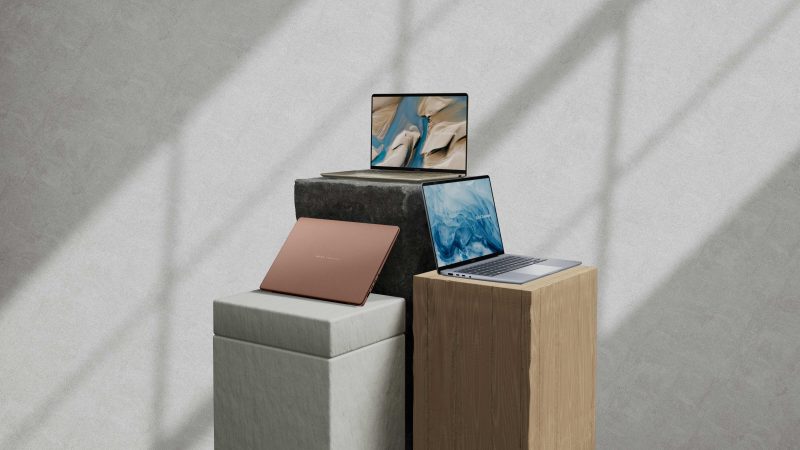
The ASUS ProArt P16 Philippines price sits at ₱289,995, and that number made us stop scrolling the first time we saw it. You can walk into an Apple store and leave with a 16-inch MacBook Pro M5 Max for less. So ASUS has to earn every peso here.
It earns most of them. The ProArt P16 H7606 pairs an NVIDIA GeForce RTX 5080 with an AMD Ryzen AI 9 HX 370, 64GB of memory, a 2TB SSD, and a 16-inch 4K OLED panel calibrated to Delta E below 1. That spec sheet targets one kind of person: the Filipino editor, colorist, or studio owner who bills clients by the project and loses money every time a render stalls.
Six months after launch, the story has a new wrinkle. ASUS released the ProArt P16 RTX Spark in October at a lower starting price. We cover both below, so you can decide which ProArt deserves your budget, or whether neither does.
- ASUS ProArt P16 Price Philippines and Specs at a Glance
- ASUS ProArt P16 RTX 5080: Built for Serious Video Work
- ASUS ProArt P16 4K OLED: A Colorist’s Screen
- Ports, Battery, and Daily Use
- ProArt P16 vs MacBook Pro 16
- ProArt P16 vs ROG Zephyrus G14
- ProArt P16 RTX Spark: The Newer, Cheaper Option
- Where to Buy ASUS ProArt P16 Philippines
- Who Should Buy It: Best Laptop for Video Editing Philippines 2026?
- TechPatrol Verdict
- Frequently Asked Questions
ASUS ProArt P16 Price Philippines and Specs at a Glance
| ASUS ProArt P16 specs | ProArt P16 H7606 (H7606WW-SE021WSM) |
|---|---|
| Price | ₱289,995 |
| Processor | AMD Ryzen AI 9 HX 370 (NPU up to 50 TOPS) |
| GPU | NVIDIA GeForce RTX 5080 Laptop, 16GB GDDR7 |
| Memory | 64GB LPDDR5X |
| Storage | 2TB M.2 SSD |
| Display | 16-inch 4K ASUS Lumina Pro OLED, 3840 x 2400, 120Hz, 1,600 nits peak HDR, 100% DCI-P3, Delta E < 1, Pantone Validated |
| Ports | 1x USB4 Type-C (40Gbps), 1x USB 3.2 Gen 2 Type-C, 2x USB 3.2 Gen 2 Type-A, HDMI 2.1 FRL, SD 7.0 reader, 3.5mm jack |
| Wireless | Wi-Fi 7, Bluetooth 5.4 |
| Battery | 90Wh, 240W adapter |
| Extras | ASUS DialPad, ASUS Pen 3.0 support, FHD IR webcam, Copilot key |
| OS / Color | Windows 11 Home / Nano Black |
ASUS ProArt P16 RTX 5080: Built for Serious Video Work
The RTX 5080 carries the whole pitch. With 16GB of GDDR7 video memory, it gives DaVinci Resolve and Premiere Pro enough room to hold 4K timelines with color nodes, noise reduction, and stabilization stacked on top. When you push into 8K footage or heavy Fusion and After Effects compositions, the extra VRAM keeps the timeline responsive where an 8GB card starts dropping frames.
In actual use, scrubbing multi-layer 4K timelines felt smooth, export times dropped, and the system stayed stable through long sessions. Stability matters more than raw speed when a client is waiting on a deliverable.
For context, Notebookcheck’s testing puts the RTX 5080 roughly 10% behind the RTX 5090 laptop chip. You give up a little peak performance and save a lot of money, since ASUS sells the RTX 5090 ProArt P16 abroad at a steep premium. For most Filipino freelancers, that trade makes sense.
The Ryzen AI 9 HX 370 handles the CPU side with 12 cores and a 50 TOPS NPU. The NPU powers Copilot+ features and ASUS’s own tools: StoryCube sorts your media library by scene and face, and MuseTree helps with brainstorming and storyboards. Treat these as bonuses. You buy this laptop for the GPU and the screen.
One warning: LPDDR5X memory sits soldered to the board. The 64GB you buy today stays 64GB for the life of the laptop, so the generous starting amount works in your favor.
ASUS ProArt P16 4K OLED: A Colorist’s Screen
The display justifies a big chunk of the price. ASUS ships the 16-inch Lumina Pro OLED at 3840 x 2400 with factory calibration to Delta E below 1, 100% DCI-P3 coverage, and Pantone validation. In plain terms, the reds you grade on this screen match the reds your client sees on a calibrated monitor.
OLED also gives you true blacks and near-infinite contrast, which helps when you grade night scenes or check shadow detail. Peak HDR brightness reaches 1,600 nits, and the 120Hz refresh rate makes timeline scrubbing and pen work feel fluid.
You also get touch and ASUS Pen 3.0 support, which photo retouchers will appreciate. The ASUS DialPad, a virtual dial on the touchpad, lets you adjust brush size, exposure, or timeline zoom without hunting through menus.
If you edit at home in Metro Manila and then present cuts at a client’s office in BGC or Ortigas, you carry your reference monitor with you. You skip lugging a separate color-accurate monitor to on-site reviews.
Ports, Battery, and Daily Use
ASUS loaded the ProArt P16 with the ports creators use. The SD 7.0 card reader lets you dump camera footage without a dongle. HDMI 2.1 drives an external 4K monitor at high refresh, and the USB4 port handles fast external SSDs. Wi-Fi 7 helps if your studio runs newer fiber routers from PLDT, Globe, or Converge.
The 90Wh battery covers writing, email, and light photo work away from a plug. Rendering and grading on battery drain it fast, so plan to edit near an outlet and pack the 240W brick. That brick adds weight to your bag.
ProArt P16 vs MacBook Pro 16
This comparison decides most purchases. The 16-inch MacBook Pro M5 Max with 36GB of memory and 2TB of storage sells for ₱259,990 locally, ₱30,000 below the ProArt P16.
Pick the MacBook Pro if you live in Final Cut Pro, value up to 24 hours of rated battery life, and work unplugged on location shoots. Apple’s efficiency still leads.
Pick the ProArt P16 if your workflow runs on Windows, CUDA, or NVIDIA-accelerated plugins, or if you need 3D tools like Blender and Unreal Engine. You also get 64GB of memory versus 36GB, an SD reader, USB-A ports, and pen input. For Resolve and Premiere editors already on Windows, the ProArt avoids a costly platform switch.
ProArt P16 vs ROG Zephyrus G14
ASUS’s own ROG Zephyrus G14 with an RTX 5080, 32GB of memory, and 1TB of storage costs ₱324,995. That makes the ProArt P16 the better deal for creators: it costs ₱35,000 less and gives you double the memory, double the storage, and a calibrated 4K panel. The Zephyrus wins on portability and high-refresh gaming. If you edit for a living and game on weekends, the ProArt still makes more sense.
ProArt P16 RTX Spark: The Newer, Cheaper Option
In October 2026, ASUS Philippines launched the ProArt P16 RTX Spark (H7607BA). It runs NVIDIA’s RTX Spark N1X platform with a 20-core CPU, a 6,144-core GPU, and unified memory shared between CPU and GPU. The 48GB version starts at ₱269,995, and a 128GB version costs ₱429,995 by special order. Both use a 4K OLED touchscreen and come with a three-year warranty.
The RTX Spark model makes sense for creators running local AI models, where large unified memory lets you load bigger models. The trade-offs: 1TB of storage instead of 2TB, and a newer platform. Before you switch, confirm that your editing suite and plugins run well on it.
If you edit video today and want a proven Windows plus NVIDIA setup, the H7606 with the RTX 5080 remains the safer buy.
Where to Buy ASUS ProArt P16 Philippines
You can buy the ProArt P16 H7606 at ASUS Concept Stores nationwide and at authorized retailers like Villman, which lists it at the same ₱289,995. Check ASUS ProArt P16 on Shopee for official store bundles and payday vouchers, and confirm the seller is ASUS-authorized before you check out.
ASUS adds a strong bundle: 3 months of Adobe Creative Cloud, 6 months of CapCut, a lifetime Office 2024 Home license, 1 year of Microsoft 365 Basic with 100GB of cloud storage, a 2-year warranty, and 1 year of accidental damage protection. Count those freebies and the effective price drops by several thousand pesos.
Who Should Buy It: Best Laptop for Video Editing Philippines 2026?
Buy the ProArt P16 if you earn from content: wedding videographers, YouTube editors handling client channels, colorists, and small production houses. It belongs on any shortlist for the best laptop for video editing Philippines 2026 buyers can get locally, and few creator laptop Philippines options match its screen and memory at this price.
Skip it if you edit occasional vlogs, work mostly in Final Cut, or need all-day battery life on shoots. A ₱100,000 to ₱150,000 laptop or a MacBook Pro will serve you better.
TechPatrol Verdict
The ASUS ProArt P16 H7606 costs a lot, and ASUS makes you feel every peso of it. In return you get an RTX 5080 with 16GB of VRAM, 64GB of memory, 2TB of storage, and one of the most accurate laptop screens sold in the Philippines today.
Against the MacBook Pro 16, it wins for Windows and NVIDIA workflows and loses on battery. Against the Zephyrus G14 with the same GPU, it costs less and gives creators more. The new RTX Spark version tempts AI-focused users, but video editors should stick with the H7606 for now.
For a working professional who bills by the project, the ProArt P16 pays for itself in saved render hours. For anyone else, it stays an expensive want.
Frequently Asked Questions
How much is the ASUS ProArt P16 price Philippines? The ProArt P16 H7606 (H7606WW-SE021WSM) sells for ₱289,995 at ASUS Concept Stores and authorized retailers.
What are the ASUS ProArt P16 specs? It has an AMD Ryzen AI 9 HX 370, an RTX 5080 with 16GB GDDR7, 64GB LPDDR5X, a 2TB SSD, and a 16-inch 4K 120Hz OLED display with Delta E below 1.
Is the ASUS ProArt P16 Philippines model worth it? Yes, for professionals who earn from video, color, or 3D work. Casual users and Final Cut editors get better value elsewhere.
Which is better, ProArt P16 vs MacBook Pro 16? The ProArt P16 wins for Windows, CUDA, and 3D workflows and has more memory. The MacBook Pro 16 M5 Max costs ₱259,990 and wins on battery life and macOS apps.
What is the ProArt P16 RTX Spark? It is the newer H7607BA model on NVIDIA’s RTX Spark platform, launched in the Philippines in October 2026, starting at ₱269,995 with 48GB of unified memory.
Where to buy ASUS ProArt P16 Philippines? ASUS Concept Stores, ASUS Exclusive Stores, Villman, and official ASUS stores on Shopee and Lazada.