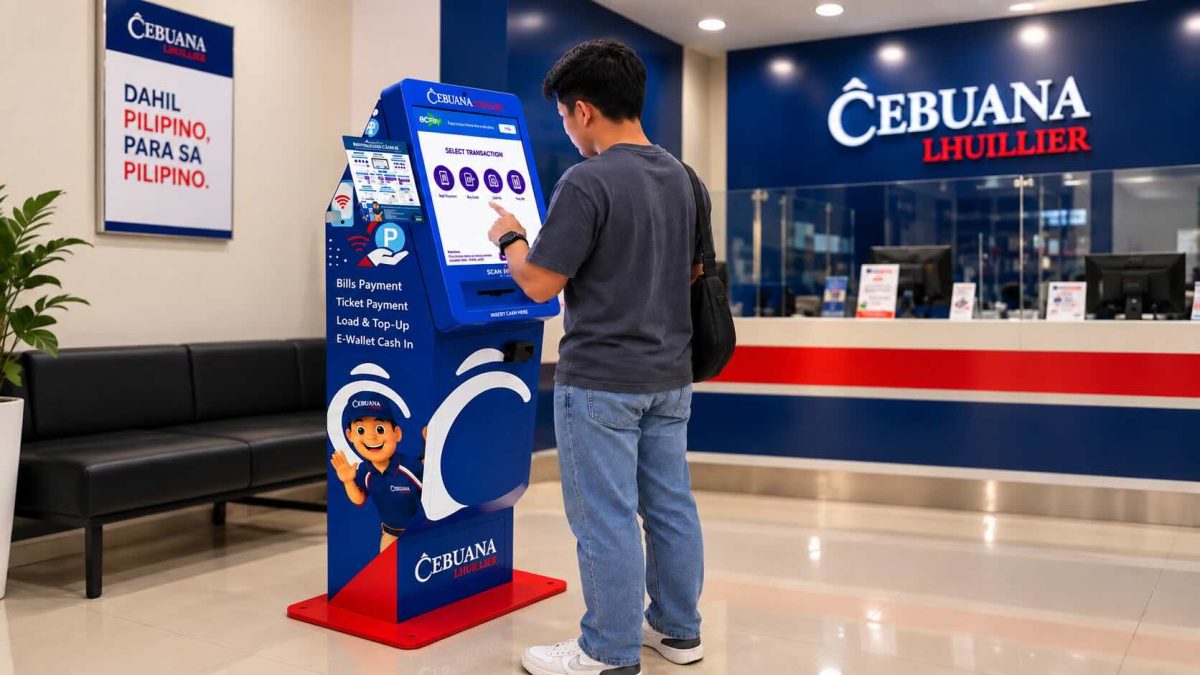
Cebuana Lhuillier has expanded its retail financial services across the Philippines with the rollout of Cash Accepting Machines (CAMS). Developed in strategic collaboration with ECPay, this nationwide deployment integrates self-service kiosks directly inside Cebuana Lhuillier branches, allowing clients to complete everyday digital transactions quickly without queuing at customer service windows.
By modernizing how consumers deposit physical cash for daily digital transactions, the initiative strengthens branch accessibility while supporting the country’s push toward broader financial inclusion.
- What Are Cebuana Lhuillier Cash Accepting Machines (CAMS)?
- Key Services Available on CAMS Kiosks
- Step-by-Step: How to Use a CAMS Terminal
- The Hybrid Branch Strategy: Self-Service Meets Assisted Care
- Strategic Significance for Philippine Financial Inclusion
- Frequently Asked Questions (FAQ)
- What denominations do CAMS kiosks accept?
- Do CAMS give change?
- What should I do if a machine encounters an error or keeps my cash?
- Are there service fees for using CAMS?
What Are Cebuana Lhuillier Cash Accepting Machines (CAMS)?
Cebuana Lhuillier CAMS are automated, touch-screen kiosks designed to accept physical cash deposits for routine electronic transactions. Instead of waiting for a branch teller to process routine balance top-ups or bill settlements, customers can input their transaction details and deposit currency notes directly into the machine.
The kiosks bridge cash-dominant consumers with digital payment platforms, providing real-time processing backed by ECPay’s payment gateway architecture.
Key Services Available on CAMS Kiosks
CAMS kiosks automate the most repetitive transactional tasks, functioning as a high-speed branch lane for everyday financial chores:
- Cash-In & E-Wallet Top-Ups: Convert physical currency into digital credits for supported mobile wallets, bank partners, and remittance accounts.
- Over-the-Counter Bills Payment: Settle utility bills (electricity and water), telecommunications services, broadband subscriptions, loan amortizations, and municipal fees without paper forms.
- Prepaid Mobile Reloading: Buy airtime credits, prepaid call/text promos, and mobile broadband data packages across major Philippine telecommunications networks.
- Merchant & Account Top-Ups: Deposit funds for specialized merchant partner accounts, transport toll cards, and gaming pins.
Step-by-Step: How to Use a CAMS Terminal
Using a CAMS terminal requires no registration or special cards:
- Select the Desired Service: On the main touch screen, select the transaction category (e.g., Bills Payment, Cash In, or Mobile Reload).
- Choose the Biller or Partner: Use the search bar or category list to locate the merchant, utility company, or e-wallet platform.
- Input Account Information: Enter the necessary payment details, such as the account reference number, mobile number, or subscriber ID.
- Insert Cash: Place neat, unfolded currency bills into the cash acceptance slot one at a time. The machine calculates and displays the running deposit amount.
- Review and Confirm: Verify the transaction details, fees (if applicable), and total amount deposited on screen, then tap confirm.
- Collect the Printed Receipt: Retrieve the physical transaction slip as official proof of payment.
The Hybrid Branch Strategy: Self-Service Meets Assisted Care
The introduction of CAMS does not eliminate face-to-face teller support. Instead, it creates a complementary operational system:
| Feature / Service | CAMS Automated Terminal | Assisted Counter / Teller Desk |
| Transaction Speed | 1–3 minutes | Variable based on service complexity |
| Payment Method | Cash only (direct insertion) | Cash, checks, or specialized vouchers |
| Core Functions | Quick bills, wallet cash-ins, mobile reloads | Pawning, jewelry appraisal, cash loans |
| Remittance Handling | Account-based digital top-ups | Domestic & international cash pickups |
| Insurance Services | Fixed premium settlements | Microinsurance policy underwriting |
This division reduces lobby congestion for quick transactions while preserving hands-on assistance for customers completing complex transactions like pawning and gold sales.
Strategic Significance for Philippine Financial Inclusion
With over 3,500 locations nationwide, Cebuana Lhuillier possesses one of the deepest physical distribution networks in the Philippine non-bank financial sector. Deploying CAMS kiosks across this network addresses several critical barriers for unbanked and underbanked consumers:
- Eliminating Digital Friction: Users without credit cards or formal bank accounts can use cash to pay online bills or reload digital wallets.
- Reducing Wait Times: Automated cash handling prevents peak-hour congestion during national bill payment cutoffs and payday cycles.
- Maintaining High Security: Operating kiosks inside guarded, supervised physical branches reduces security risks often associated with freestanding street-level ATMs.
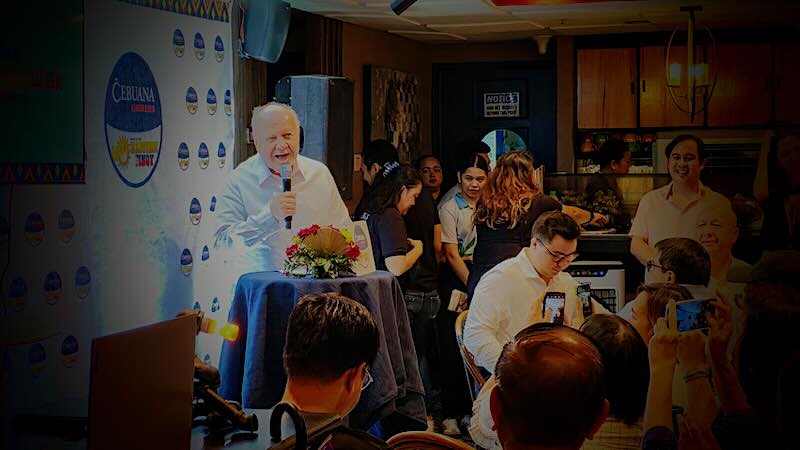
“Our goal is to make every interaction with Cebuana Lhuillier as convenient and seamless as possible,” noted Jean Henri Lhuillier, President and CEO of Cebuana Lhuillier. “CAMS gives our customers more choice in how they complete everyday transactions while allowing us to bring practical, technology-enabled services closer to the communities we serve. It is another step in making financial services more accessible, relevant, and responsive to the needs of our customers.”
Reinforcing the company’s innovation roadmap, Senior Executive Vice President Philippe Andre Lhuillier added: “This is how we see innovation working at the branch level—using technology to expand what customers can access while preserving the reach and familiarity of Cebuana Lhuillier. CAMS allows us to make our branches more responsive to how customers want to transact today.”
Frequently Asked Questions (FAQ)
What denominations do CAMS kiosks accept?
CAMS accept all legal tender Philippine Peso banknotes (PHP 20, PHP 50, PHP 100, PHP 200, PHP 500, and PHP 1000). Bills must be flat, unfolded, and free of heavy tears or adhesive tape.
Do CAMS give change?
Most cash-accepting self-service terminals in the Philippines operate as exact-amount only or apply excess cash directly to the credited balance, as bill-dispensing change mechanisms are typically omitted. Always carry exact or close denominations.
What should I do if a machine encounters an error or keeps my cash?
Because CAMS are located directly inside Cebuana Lhuillier branches, immediately notify the branch manager or on-duty teller. Have your printed transaction slip or transaction timestamp ready for manual verification against internal transaction logs.
Are there service fees for using CAMS?
Fees vary by transaction type and merchant partner. Many basic bill payments and regular mobile reloads carry standard or nominal convenience fees that match regular counter rates, which are displayed transparently on-screen prior to payment confirmation.