[toc]
Overview
If you solely utilize telco-provided equipment, configuring WiFi in households with 3-4 bedrooms might be difficult. That is why WiFi mesh technology is becoming increasingly popular. Subscriptions from telcos like PLDT Home have such options. On the other hand, TP-Link Philippines has just released its latest Mesh WiFi, which is the greatest solution for weak WiFi coverage in larger homes.
Introducing TP-Link Deco X50 series, a WiFi 6 AX3000 whole-home mesh WiFi system that claims up to 6500 sq ft, or 3-4 bedroom coverage.

How do Mesh WiFi works?
With a single Wi-Fi network that covers your whole home and has seamless roaming, adaptive routing, and self-healing, you can eliminate areas of your home that receive bad signals. You’ll never have to waste time or energy hunting for a dependable connection again, whether you’re in the attic, garage, or backyard.
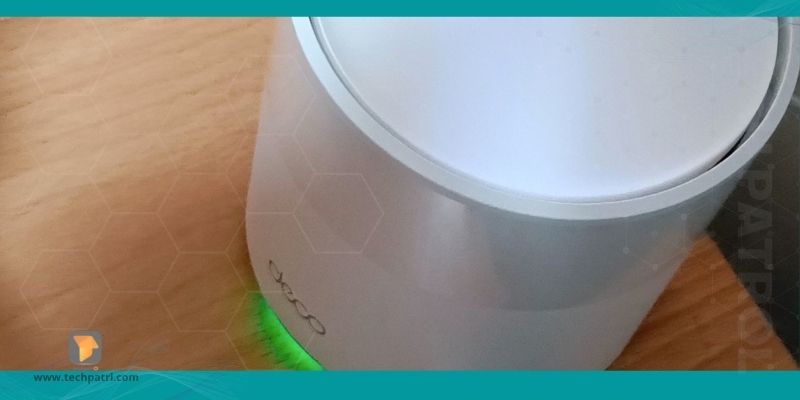
TP-Link Deco WiFi devices connect with one another to form a single, unified network with a single name. Your smartphone or tablet will automatically connect to the Deco with the fastest download connection as you move throughout your house. The change takes less than 0.3 seconds, is smooth and invisible, and delivers a perfectly seamless online experience for consumers.
TP-Link Mesh Technology chooses the best path and frequency band for your connections and applications. This guarantees that you always have a fast Wi-Fi connection, no matter where you are in the house.
TP-Link Deco X50 specs
| WiFi Band 1 | 2.4Ghz WiFi 6 up to 574Mbps (2×2 40Mhz) |
| WiFi Band 2 | 5Ghz WiFi 6 up to 2402Mbps (2×2 160Mhz) |
| CPU | Qualcomm Quad-Core CPU |
| RAM | 512MB |
| Ports | 3 x Gigabit Ethernet LAN/WAN Port |
Unboxing & Configuring TP-Link Deco X50
The retail packaging, which is really hefty, has two WiFi gadgets that are white in color. It comes with the necessary user manual that will assist you in easily configuring your home Wi-Fi network. When you first begin the process of configuring the first Deco device, you will require a 1-meter LAN cable, which is provided for free in the package.

The Deco X50 is the first TP-Link Mesh WiFi system to include more than two ports, which is a big improvement. In reality, the mesh nodes and the main unit both have three operational ports on their sides. They can be used in wired backhaul to boost performance, or they can be linked to other devices.
When setting up the system, the Deco X50 mesh WiFi system’s main unit should be connected directly to the modem. This guarantees that the router provided by the service provider does not create bottlenecks and eliminates interference. Place the additional mesh nodes such that they are two to three walls apart from the main unit.
Performance
The excellent mesh roaming technology developed by TP-Link is now known as AI-Driven Mesh, and it works like magic. As I move around my apartment, the network switching is nearly undetectable. My devices will always smoothly move to the strongest mesh sites, with no manual switching necessary.
TP-Link has always used high-quality app for their mesh WiFi systems. The program is simple to use, and the software that powers it is dependable. Because the Deco Mesh WiFi is linked to the TP-Link cloud, you can easily monitor the status of your home network even if you are not there.
HomeShield Pro.
The best feature of the HomeShield Pro application is the parental control option. It works effectively and is capable of filtering webpages based on the category chosen. There are various categories to choose from, each with a big database of websites maintained by TP-Link.
The reporting aspect of the app is also amazing. It will show use data, as well as the top banned and most visited URLs for each device, which is very handy if you have little children. When I’m not around, I use it to keep track of how much time my kids spend online.