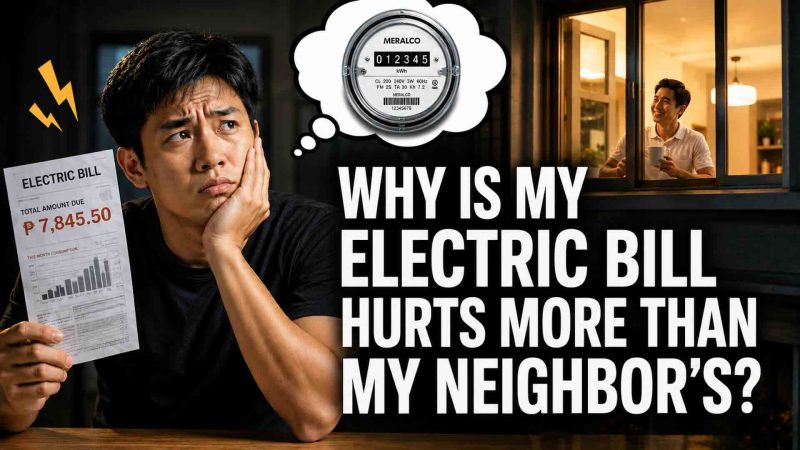
Hello everyone! I’m excited to share this article with you, whether you’re a newcomer to Meralco, a new homeowner, or a long-time customer wanting to understand your electric bill better.
Together, we’ll explore all the helpful details and make your experience even better!
Understanding your electricity bill is essential to managing your household or business budget.
As the largest electric distribution utility in the Philippines, Meralco services millions of customers in Metro Manila and nearby provinces.
Whether you’re a long-time account holder or a new applicant, this ultimate guide covers everything you need to know about Meralco bills, payments, and services in 2026 – explained in clear, simple terms for Filipino consumers.
- What is Meralco?
- Service Areas Covered by Meralco
- Understanding Your Meralco Bill
- Key Components of a Meralco Bill
- Other Possible Adjustments
- How to Check Your Meralco Bill
- 1. Meralco Online (Website)
- 2. Meralco Mobile App
- 3. Via SMS (Meralco SMS Service)
- 4. Bayad Centers and Payment Partners
- How to Pay Your Meralco Bill
- 1. Over-the-Counter Payments
- 2. Online and Mobile Payments
- 3. Auto-Debit and Bank Payments
- Payment Posting Timelines
- Applying for Meralco Services
- 1. Requirements for Residential Connection
- 2. Requirements for Business or Commercial Connection
- 3. Application Process
- 4. Fees and Bill Deposit
- Meralco Online Services and App
- Key Features
- Reporting Concerns and Outages
- 1. Meralco Hotline
- 2. Meralco Facebook Messenger
- 3. Meralco Mobile App
- 4. Email
- Service Restoration Process
- Energy Efficiency and Safety Tips
- Frequently Asked Questions
- How can I get a copy of my previous Meralco bills?
- What happens if I pay my Meralco bill late?
- How do I reconnect after disconnection?
- Can I pay partial payments?
- How to transfer Meralco account name?
- Conclusion
- Sponsored Mention
- See also: AC Consumption Chart by Meralco
What is Meralco?
Meralco, or the Manila Electric Company, is the largest private electric distribution utility in the Philippines. Established in 1903, it now serves over 7 million customers across Metro Manila, Bulacan, Cavite, Rizal, and portions of Laguna, Pampanga, Batangas, and Quezon.
Service Areas Covered by Meralco
Meralco’s franchise area includes:
- Entire Metro Manila
- Most parts of Bulacan, Rizal, and Cavite
- Selected cities and municipalities in Laguna, Pampanga, Batangas, and Quezon
Their mission is to provide reliable electricity service with continuous improvements in efficiency, safety, and customer service innovations.
Understanding Your Meralco Bill
Before paying your bill, it’s crucial to understand the charges reflected in it. Here is a breakdown of the typical Meralco bill:
Key Components of a Meralco Bill
- Generation Charge – Cost of producing electricity from power plants.
- Transmission Charge – Cost of delivering electricity from power plants to Meralco substations via the national grid.
- Distribution Charge – Cost of delivering electricity from Meralco to your home or business.
- System Loss Charge – Covers energy lost due to technical limitations during delivery.
- Subsidies and Taxes – Lifeline subsidy, senior citizen discount (if applicable), VAT, and other government-mandated charges.
- Universal Charges and Feed-in Tariff Allowance – National charges to support rural electrification and renewable energy.

Other Possible Adjustments
- Installment or deferred payments
- Bill deposits (for new or adjusted connections)
- Late payment charges if applicable
How to Check Your Meralco Bill
Staying updated with your monthly dues is easier now through multiple Meralco channels.
1. Meralco Online (Website)
- Go to Meralco Online.
- Log in to your account.
- View your current and past bills, consumption history, and due dates.
2. Meralco Mobile App
- Download the Meralco app from the App Store or Google Play.
- Log in or register your account.
- Access your bills, view payment history, and report concerns.
3. Via SMS (Meralco SMS Service)
- Text BILL<space>CAN (Customer Account Number) to 7622.
- Example: BILL 1234567890
- You will receive your bill amount and due date via text.
4. Bayad Centers and Payment Partners
Many Bayad Centers, kiosks, and partner merchants can check your current bill for you when paying over-the-counter.
How to Pay Your Meralco Bill
Meralco offers multiple payment options to make settling bills convenient for everyone.
1. Over-the-Counter Payments
Pay at accredited payment centers such as:
- Bayad Center branches
- SM Bills Payment counters
- Robinsons Department Store payment centers
- Puregold customer service counters
- 7-Eleven CLiQQ kiosks (with transaction fees)
2. Online and Mobile Payments
Via GCash
- Open the GCash app.
- Select Pay Bills.
- Choose Electric Utilities > Meralco.
- Enter your 10-digit Customer Account Number (CAN) and payment amount.
- Confirm payment.
- Save your SMS confirmation for posting reference.
Via Maya
- Open Maya and log in.
- Tap Bills, select Electric Utilities > Meralco.
- Enter details and payment amount.
- Confirm payment and note your reference number.
Via ShopeePay
- Open Shopee > ShopeePay Wallet.
- Tap Bills Payment.
- Choose Electricity > Meralco, enter CAN, and amount.
- Proceed to pay. Promo vouchers often apply here for cashback.
3. Auto-Debit and Bank Payments
You can enroll your Meralco account in an auto-debit arrangement with your bank or pay directly via:
- BPI Online
- Metrobank Online
- UnionBank Online
- RCBC Online Banking
These payments post within 1-2 banking days. Always keep your transaction receipt for confirmation.
Payment Posting Timelines
Most online payments post within 24-48 hours, while over-the-counter payments post within 1-3 banking days. Ensure you pay before your due date to avoid disconnection or late fees.
Applying for Meralco Services
For new homeowners, this is an exciting step in your journey! Whether settling into a new home or launching a business, applying for Meralco service is a breeze when you gather the right documents. You’ve got this!
1. Requirements for Residential Connection
- Duly accomplished application form
- Proof of occupancy (Title, Lease Contract, Deed of Sale, or Barangay Certificate)
- Valid government-issued ID
- Electrical Plan and Permit (if required for new construction)
2. Requirements for Business or Commercial Connection
- Business permits and SEC/DTI registration
- Electrical plan signed by a licensed electrical practitioner
- Valid IDs of the owner or authorized representative
- Lease contract or proof of ownership
3. Application Process
- Visit the nearest Meralco Business Center or apply via Meralco Online.
- Submit your requirements.
- Wait for the field inspection.
- Pay the bill deposit or connection fees if applicable.
- Installation and activation will follow, usually within 3-7 working days for standard residential connections.
4. Fees and Bill Deposit
New connections typically require a bill deposit, which is a refundable security based on your average monthly consumption. Installation fees depend on the meter and wiring setup needed.
Meralco Online Services and App
Meralco Online and its app provide convenient tools for customers to manage accounts anytime.
Key Features
- View bills and consumption history
- Pay bills directly via partner payment channels
- Report brownouts, emergencies, or electrical concerns
- Apply for service upgrades or additional connections
- Request billing adjustments and account updates
Tip: Enable notifications to receive updates on power interruptions and advisories in your area.
Reporting Concerns and Outages
Power interruptions and electrical emergencies happen occasionally. Here is how to report:
1. Meralco Hotline
- Residential/General Inquiries: 16211 (landline within Metro Manila)
- Provincial Calls: Dial area code + 16211
Available 24/7.
2. Meralco Facebook Messenger
Visit Meralco Facebook and click “Message” to report concerns or request information.
3. Meralco Mobile App
Log in, tap Report an Outage, and submit your concern for tracking.
4. Email
Send details to customercare@meralco.com.ph for general concerns or document submissions.
Service Restoration Process
Meralco prioritizes:
- Critical institutions (hospitals, water pumping stations)
- Major thoroughfares and public safety areas
- Residential areas by cluster
Outage duration depends on the extent of damage or cause.
Energy Efficiency and Safety Tips
Reducing your bill is possible with these simple practices:
- Use LED lights instead of incandescent bulbs.
- Unplug appliances when not in use to avoid phantom load.
- Iron clothes in bulk to maximize electricity use while hot.
- Use aircon efficiently: set at 24-25°C and clean filters regularly.
- Check appliance energy ratings before purchase to choose energy-efficient models.
- Inspect electrical wiring periodically for safety and avoid overloading outlets.
Frequently Asked Questions
How can I get a copy of my previous Meralco bills?
Log in to Meralco Online or the mobile app to download past bills. You can also request copies from a Meralco Business Center.
What happens if I pay my Meralco bill late?
Late payments incur penalty charges, and disconnection may occur if unpaid beyond the disconnection notice date.
How do I reconnect after disconnection?
Settle your unpaid balance at any Meralco Business Center or accredited payment partner. Reconnection usually happens within 24 hours after payment confirmation.
Can I pay partial payments?
Meralco generally requires full payment to avoid disconnection, but installment arrangements may be requested under certain conditions.
How to transfer Meralco account name?
Submit a Change of Account Name request with valid proof of ownership and IDs at a Meralco Business Center.
Conclusion
Managing electricity services can be streamlined.
This updated 2025 guide provides information on checking bills, making payments through GCash, Maya, or ShopeePay, and applying for services to maintain consistent power for homes or businesses.
I highly recommend bookmarking this page for future reference and sharing it with others who may find it helpful.
Sponsored Mention
Pay your Meralco bills quickly with GCash, Maya, or ShopeePay today – fast, secure, and no lines.