Introduction
If AI still feels like something you open in a separate app—like ChatGPT or Gemini—Apple is trying to change that completely. The Apple Intelligence WWDC26 announcement signals a shift toward AI that’s deeply embedded across your entire device, quietly working in the background to help you get things done faster and easier.
Instead of asking, “Which app should I use?”, Apple wants your iPhone, iPad, or Mac to simply understand what you need—and act on it.
AI That’s Built Into Everything You Do
Here’s the big difference: Apple Intelligence isn’t just a feature—it’s a system-wide layer.
It’s integrated across iPhone, iPad, Mac, Apple Watch, and Apple Vision Pro, meaning the apps you already use—Messages, Photos, Safari, Mail—become smarter without you needing to learn anything new.
For example:
- You type something → the system suggests actions
- You browse → Safari organizes your tabs automatically
- You chat → Messages suggests reminders or tasks
It’s designed to reduce friction in everyday actions, not add more steps.
Siri AI Becomes a Real Assistant (Finally)
Siri is getting its biggest upgrade ever.
The new Siri AI is:
- More conversational (you can talk naturally)
- Context-aware (it understands what you’re doing)
- Action-capable (it can actually do things across apps)
For example, Siri can:
- Find a photo someone asked for in Messages
- Pull details from your email during a phone call
- Answer questions based on what’s on your screen
This transforms Siri from a command tool into something closer to a true digital assistant.
Smarter Photos Editing Without Skills Needed
Apple is also making photo editing much easier—especially for non-experts.
New tools include:
- Spatial Reframing – Adjust composition after taking a photo
- Extend Tool – Expand images without cropping
- Clean Up Tool – Remove unwanted objects more naturally
The key idea:
👉 You don’t need editing skills anymore—the AI handles it for you
And importantly, Apple adds a hidden watermark (SynthID) to AI-edited images for transparency.
Related: Apple Intelligence and Siri AI Announced at WWDC26 with Major Software Upgrades
Image Playground: Apple’s Take on Generative AI
Apple is entering the generative AI space with Image Playground.
This lets users:
- Create images by describing them
- Modify images by tapping or highlighting areas
- Generate photorealistic visuals
But here’s the difference vs other AI tools:
👉 It’s built directly into your device, not a separate platform
You can even use it for:
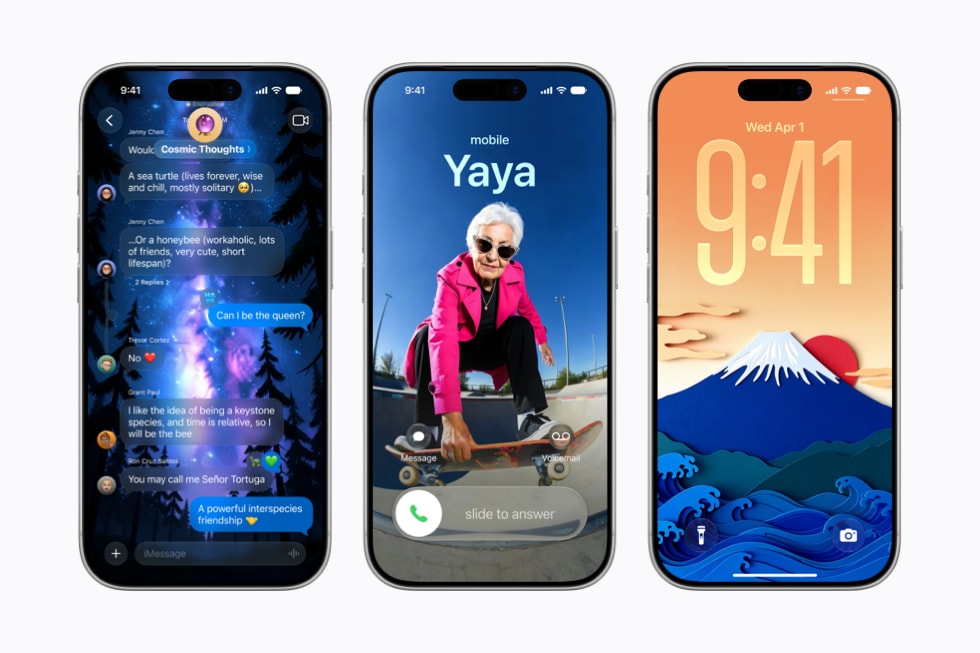
- Lock screen wallpapers
- Contact posters
- Messages visuals
Safari Becomes Smarter Than Ever
Safari is no longer just a browser—it’s becoming an assistant.
New features include:
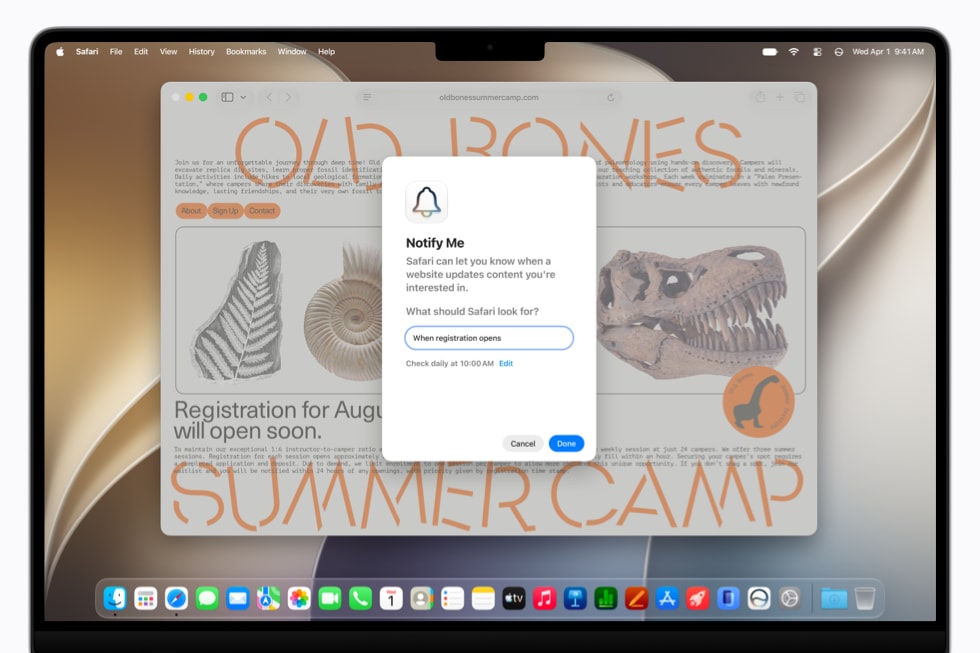
- Automatic tab organization (grouped by topic)
- Notify Me (alerts for price drops, restocks, updates)
Example:
If you’re planning a trip, Safari can group all your tabs—flights, hotels, itineraries—automatically.
That’s a big upgrade for productivity.
Built-In Security That Works in the Background
Apple is also improving security in a way most users won’t even notice—but will benefit from.
The system can:
- Detect weak passwords
- Automatically upgrade them
- Secure accounts without manual effort
This removes one of the biggest risks in digital life: poor password habits.
Smarter Communication and Daily Tasks
Apple Intelligence also enhances everyday communication.
New capabilities include:
- Messages suggesting reminders or actions
- Mail suggesting replies based on your writing style
- Calendar creating events from simple descriptions
Example:
You type “Dinner with Mark tomorrow 7pm” → Calendar creates the event automatically.
It’s all about less typing, more doing.
A Privacy-First Approach to AI
This is where Apple is clearly differentiating itself.
Apple Intelligence uses:
- On-device processing (data stays on your device)
- Private Cloud Compute (secure cloud processing when needed)
This means:
👉 Your personal data is not stored or accessible by Apple
In a world where AI often relies on cloud data, this is a major positioning move.
Why This Matters for Everyday Users
This isn’t just another AI announcement—it changes how devices behave.
Instead of:
- Opening apps
- Copy-pasting info
- Switching between tools
You get:
- Context-aware suggestions
- Automated actions
- Faster workflows
For Filipino users especially, this means:
- Less effort managing daily tasks
- Better productivity on mobile
- More intuitive tech overall
Tech Patrol Insight
Apple’s strategy is very clear—and very different.
While others focus on AI tools, Apple is building AI experiences.
Instead of asking users to adopt new platforms, Apple is embedding intelligence into what people already do every day.
If executed well, this could:
- Reduce dependency on third-party AI apps
- Strengthen Apple’s ecosystem lock-in
- Set a new standard for “invisible AI”
Final Thoughts
Apple Intelligence at WWDC26 isn’t just about smarter features—it’s about redefining how we interact with technology.
By making AI more contextual, more private, and more integrated, Apple is aiming for a future where your device doesn’t just respond—it understands.
The real question now is:
👉 Will this feel natural in real life—or still like another layer of tech?